

AI can be a great travel planning tool, but only when you know how to talk to it.
That is the part a lot of people miss. They open ChatGPT, Gemini, Claude, or whatever AI tool they are using, type something like “plan me a trip to Paris,” and then wonder why the answer feels generic. Of course it does. The AI does not know your budget, your travel style, your energy level, your food preferences, your family situation, your comfort with public transportation, or whether you want a full sightseeing day or a slower trip with room to breathe.
Travel planning is personal.
A 5-day Paris trip for a first-time visitor who wants museums, pretty walks, and affordable food should not look the same as a 5-day Paris trip for someone who has already been twice and wants quieter neighborhoods, coffee shops, bookstores, markets, and slow mornings. A 2-week Japan itinerary for a backpacker should not look the same as a family trip with teenagers. A Europe route for someone on vacation should not look the same as a route for someone doing a Schengen shuffle and trying to make every country change count.
The better your prompt, the better your starting point. AI is not a magic travel agent, and you still need to fact-check the details, but it can help you organize your ideas, compare options, build a realistic itinerary, find better questions to ask, and avoid some of the mistakes that make travel harder than it needs to be.
If you are brand new to using AI for travel, start with my full guide on how to use AI to plan a trip first. That post explains the bigger process, including how to fact-check AI itineraries, how to use AI on the ground, and what travel tools make the planning actually work once you land.
This post is more hands-on. These are the actual AI travel planning prompts you can copy, paste, and adjust for your own trip.
.png)
How to Get Better Results From AI Travel Prompts
Before you copy any prompt, remember this: AI works better when you give it the kind of context a real person would need.
Do not only tell it the destination.
Tell it how many days you have. Tell it who is traveling. Tell it your budget. Tell it whether you like packed days or slower travel. Tell it what you care about. Tell it what you hate. Tell it whether you are comfortable with public transportation. Tell it if you are traveling with kids, teenagers, older parents, or someone who does not want to walk ten miles a day.
You can also tell it what kind of answer you want.
For travel planning, I like asking for neighborhood grouping, realistic transit times, food breaks, backup plans, and warnings about anything that may be too rushed. That last one is important because AI can make a packed itinerary sound easy until you picture yourself actually doing it with luggage, jet lag, weather, crowds, and a phone battery that is fighting for its life.
A good prompt should usually include:
Destination
Number of days
Travelers
Budget
Travel pace
Interests
Food preferences
Transportation style
Accommodation needs
Things you want to avoid
Whether you need rest days, work days, or family-friendly pacing
Once you add those details, the answer usually becomes much more useful.
.png)
The Best Master AI Travel Planning Prompt
Start with this prompt when you want AI to build the first draft of your trip.
Prompt:
You are helping me plan a realistic trip to [destination]. I am traveling for [number of days] with [solo/family/friend/partner]. My budget is [budget level], and my travel style is [slow/balanced/packed]. I care most about [food/history/neighborhoods/free things/museums/day trips/cafes/views/shopping/nature]. Build me a day-by-day itinerary with realistic transit times, meal breaks, neighborhood grouping, estimated costs, and backup options for bad weather or low-energy days. Avoid generic tourist traps unless they are truly worth it. Include what I should book in advance, what can be done last minute, and what might be overrated for my travel style.
That prompt gives AI enough information to build something more realistic than a generic list of attractions.
After you get the first answer, do not stop there. Ask follow-up questions.
Try:
Make this itinerary less rushed.
Group each day more tightly by neighborhood.
Add affordable lunch options near each main area.
Give me a rainy-day version of this itinerary.
Tell me which day has too much walking.
Tell me what I should book before arriving.
Remove anything that feels too touristy unless it is truly worth it.
These follow-up prompts are where the plan usually gets better. The first answer is the draft. The second and third answers are where you shape it into something you would actually want to follow.
.png)
AI Prompt for Choosing Where to Stay
Choosing where to stay is one of the biggest travel decisions because it affects almost everything else. Your neighborhood can shape your budget, your transportation time, your food options, your comfort level, and how easy it feels to move through the city.
Before you start scrolling through hotels or apartments, use AI to narrow down which areas fit your travel style.
Prompt:
Help me choose the best area to stay in [destination]. I am traveling for [number of days] and my travel style is [budget/luxury/mid-range/family/digital nomad/solo/food-focused/first-time visitor/slow travel]. I care most about [walkability/public transit/food/safety/quiet streets/nightlife/being near attractions/local feel/lower prices]. Compare the best neighborhoods for me, explain who each area is best for, and tell me which areas may not fit my travel style.
After AI gives you the neighborhood breakdown, check real prices and reviews. AI can help you understand the city, but hotel platforms show what is actually available for your dates.
A good follow-up prompt is:
Based on these neighborhoods, help me decide which area gives the best balance of price, convenience, food, and transportation for my trip style.
Once you know your area, Booking.com can help you compare real stays, read recent reviews, and check whether the location works for your itinerary.
For more detailed help, my guide on how to use AI to choose where to stay walks through the exact process of comparing neighborhoods before booking a hotel or apartment.
AI Prompt for Planning a Budget-Friendly Trip
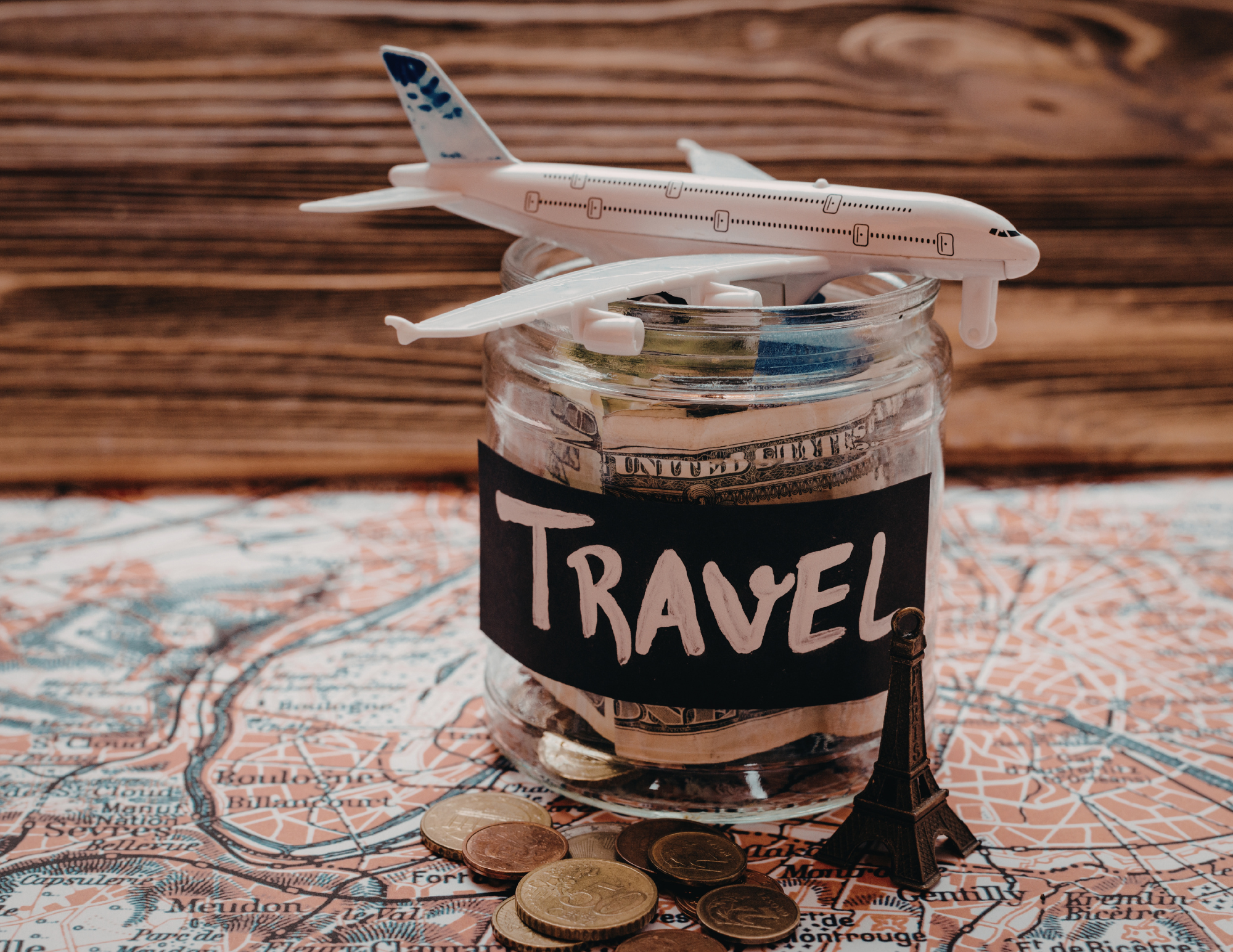
A travel budget is not only about flights and hotels. Food, transportation, attraction tickets, luggage fees, mobile data, airport transfers, and small daily choices can change the cost of a trip quickly.
AI can help you see where your money is likely to go before you start booking.
Prompt:
Help me plan a budget-friendly trip to [destination] for [number of days]. My total budget is approximately [amount], not including flights. I want to save money on [food/transportation/activities/accommodation], but I am willing to spend more on [one or two priorities]. Suggest a realistic daily budget, affordable neighborhoods to stay in, free or low-cost things to do, grocery store meal ideas, public transportation tips, and where travelers often waste money in this destination.
This prompt works well because it does not ask for the cheapest possible trip. It asks for a smarter trip.
There is a difference.
Sometimes paying more to stay in the right area saves money later because you can walk more and take fewer taxis. Sometimes one paid tour is worth it because it gives you context and saves you from wasting a day. Sometimes a grocery store lunch makes more sense than sitting down for every meal.
A good follow-up prompt is:
Show me where I should spend money and where I should save money on this trip.
Another useful one:
Build a version of this itinerary for a mid-range budget, then build a cheaper version so I can compare the trade-offs.
For people who want to travel more often, these details matter. Saving money is not always about cutting everything. It is about knowing what actually adds value to your trip.
.png)
AI Prompt for Finding Better Food While Traveling
Food can make a trip feel so much richer, but AI food recommendations can get generic fast if you ask the wrong way.
Instead of asking for “best restaurants,” ask for regional dishes, neighborhood options, markets, bakeries, casual meals, and search terms you can use on Google Maps once you arrive.
Prompt:
Help me find great food experiences in [destination] that go beyond tourist restaurants. I want to try regional dishes, casual local spots, markets, bakeries, coffee shops, and affordable places with strong reviews. Organize the suggestions by neighborhood and include what dish or item I should try in each area. Also give me search terms I can use on Google Maps to find current places nearby.
That last sentence is important because restaurant information changes all the time. AI may give you ideas, but Google Maps, recent reviews, and what you see on the ground help you make the final choice.
You can also ask:
What are the most traditional dishes to try in [destination]?
What foods should I try that tourists often miss?
What should I order at a local bakery, market, or casual restaurant?
What are good food neighborhoods in [destination]?
What are some red flags that a restaurant is only targeting tourists?
Food tours can also be a good option, especially at the beginning of a trip. If you want a guided introduction to local dishes, markets, wine, street food, or regional specialties, GetYourGuide makes it easy to compare food tours and see what fits your schedule.
For more destination food ideas, start with my guides like best Thai food to eat in Thailand, Lisbon food guide, and Porto food guide
.png)
AI Prompt for Building a Family-Friendly Itinerary
Family travel needs a different rhythm.
A lot of itineraries online look good until you imagine actually doing them with kids, teenagers, grandparents, or a group with different energy levels. Everyone does not want to wake up early every day. Everyone does not want five attractions back-to-back. And sometimes the best family travel days are the ones with fewer stops, better food breaks, and space to slow down.
Prompt:
Help me plan a family-friendly trip to [destination] for [number of days]. We want to see the main highlights, but we do not want the trip to feel rushed or exhausting. Build an itinerary with realistic pacing, easy transportation, food breaks, rest time, parks or open spaces, and backup indoor options for bad weather. Include which activities are best for younger kids, teenagers, and adults, and tell me which days may be too packed.
A good family trip needs options.
Ask AI for a lighter version of each day too.
Follow-up prompt:
Create a low-energy version of each day in case we are tired, the weather is bad, or we need to slow down.
That one prompt can save you from feeling like the trip is ruined just because the original plan does not happen exactly.
When you are traveling with family, small practical tools also matter. A portable charger, mobile data, a day bag, water bottles, snacks, and saved directions can make the day easier. You do not want to be figuring out every detail from scratch while everyone is hungry or tired.
My guide on using AI to plan a family trip goes deeper into building realistic family travel days, pacing activities, and planning around different ages without turning the trip into a checklist.

AI Prompt for Solo Travelers
Solo travel can be freeing, but it also comes with different planning needs. You may care more about walkable neighborhoods, easy transportation, well-reviewed stays, safe arrivals, social activities, and avoiding plans that leave you stranded somewhere late at night.
AI can help you think through those details before you arrive.
Prompt:
Help me plan a solo trip to [destination] for [number of days]. I want a mix of sightseeing, good food, walkable neighborhoods, and time to explore without feeling rushed. Suggest a realistic itinerary with safe transportation options, areas that are good for solo travelers, casual places to eat alone, group tours or social activities if they are worth it, and anything I should avoid as a first-time visitor.
You can also make this more specific.
For solo female travel, try:
Help me plan a solo female trip to [destination]. I want to feel comfortable moving around, especially in the evening. Suggest neighborhoods to stay in, transportation tips, activities that are good solo, casual restaurants or cafes, and ways to enjoy the city without overpacking my days. Include safety considerations without making the trip sound scary.
A strong solo travel plan should not be fear-based, but it should be practical. You want to know how you are getting from the airport to your stay, what neighborhoods are convenient, what areas are better during the day, and which activities are easy to do alone.
A walking tour, food tour, museum visit, market stop, or day trip can also be a great way to add structure to a solo trip without needing a travel partner.
.png)
AI Prompt for Digital Nomads and Remote Workers
Working while traveling changes the entire plan.
You are not just choosing a pretty place. You need Wi-Fi, backup data, quiet work time, a comfortable stay, grocery stores, cafes, transportation, and a routine that lets you earn money while still enjoying the destination.
Prompt:
Help me plan a remote work stay in [destination] for [number of days/weeks/months]. I need reliable Wi-Fi, good mobile data options, cafes or coworking spaces, safe walkable neighborhoods, grocery stores, public transportation, and a realistic routine that balances work and exploring. Compare the best areas to stay, suggest what I should check before booking accommodation, and build a weekly rhythm with work blocks and sightseeing time.
That prompt is much better than asking for a normal itinerary because remote work travel is not the same as vacation travel.
You need to know where you can work. You need to know if the area is convenient. You need to know whether your accommodation has a real workspace or just a tiny table in a dark corner. You need a mobile data backup in case the Wi-Fi is weak.
Airalo or another eSIM can be especially useful for remote workers because mobile data becomes part of your work setup. It can help with hotspot backup, maps, messages, banking apps, accommodation check-ins, and staying connected when you are between cities or countries.
A good follow-up prompt is:
Create a realistic weekly schedule for this destination with work blocks, grocery runs, cafe work sessions, sightseeing, rest time, and one bigger day trip.
That kind of structure is helpful because digital nomad travel can look flexible from the outside, but real life still needs planning.
For more on this, read how to use AI to plan a digital nomad stay abroad.
Before you land, set up your Airalo eSIM so you have data ready for maps, translation, hotel messages, rideshare apps, and last-minute itinerary changes.
Head over to Airalo and use the code NEWTOAIRALO15 to offer New Customers a 15% discount.
If you are traveling longer term, moving between countries, or booking a bigger international trip, travel insurance is worth considering. This is especially true for digital nomads, full-time travelers, people doing a Schengen shuffle, or anyone who will be abroad long enough that a medical issue, delay, cancellation, or unexpected problem could become expensive.
.png)
AI Prompt for Multi-City Trips
Multi-city trips can look amazing on paper and feel exhausting in real life.
The problem is not always the distance between cities. It is the entire travel day. Packing, checking out, getting to the station or airport, waiting, traveling, arriving, finding your stay, checking in, getting food, and settling in can take far more energy than people expect.
Use AI to test whether your route actually makes sense before you book.
Prompt:
Help me plan a realistic multi-city trip through [country or region] for [number of days]. I am considering [list cities]. Tell me which route makes the most sense by train, bus, or flight. Include realistic travel times, hotel switch days, luggage considerations, and whether this itinerary is too rushed. If it is too rushed, suggest a better version with fewer stops.
Ask AI to be blunt about pacing.
Follow-up prompt:
Be honest. Is this itinerary enjoyable or am I trying to do too much? Tell me what to cut, what to keep, and how to make the route feel smoother.
That question can save you from booking a trip that looks impressive but leaves you tired the whole time.
For Europe, this becomes even more important if you are managing Schengen days. You are not only thinking about where you want to go. You are also thinking about how long you can stay, which countries make sense together, and where to go next when your 90 days are running.
My guide on how to use AI to plan a Europe trip goes deeper into route planning, train days, border timing, and building a trip that is not just technically possible, but actually enjoyable.
.png)
AI Prompt for Travel Days
Travel days need their own plan.
People often plan the sightseeing days, but forget to plan the actual movement between places. That is usually where the stress hits. You are checking out, carrying luggage, finding transportation, managing tickets, dealing with delays, and trying to arrive without feeling completely drained.
Use AI to create a travel-day plan before you move.
Prompt:
Help me plan my travel day from [city] to [city]. I am traveling by [train/bus/flight/car]. My departure time is [time] and my arrival time is [time]. Build a realistic plan for checking out, getting to the station or airport, food, luggage, arrival transportation, and what to do if there is a delay. Keep the day low-stress and realistic.
You can also ask:
What should I have downloaded, saved, or prepared on my phone before this travel day?
That is a smart question because so much travel stress comes from not having things ready when you need them.
For travel days, I like having my hotel address saved, tickets downloaded, mobile data working, a portable charger, backup payment options, and transportation options checked before leaving. AI can help you create the checklist, but you still have to do the prep.
A portable charger is one of the easiest travel tech items to recommend because your phone carries almost everything now: maps, tickets, hotel details, translation apps, photos, messages, banking apps, and last-minute AI searches.
When your whole travel day depends on your phone, keeping it charged is not optional.
I especially like having one on long sightseeing days, travel days, and multi-city trips when I know I will be away from my room for hours.
.png)
AI Prompt for Bad Weather Days
Weather can change a trip quickly.
Rain, heat, cold, wind, or poor air quality can make your original itinerary less enjoyable or even unrealistic. Instead of forcing the original plan, ask AI to adjust it.
Prompt:
It is supposed to [rain/be extremely hot/be cold/have poor air quality] in [destination] on [day]. Adjust my itinerary so it still feels worthwhile but is more comfortable. Suggest indoor activities, shorter walks, easy transportation, good food stops, and a backup plan if we want to return to the hotel early.
This prompt is especially useful for cities with lots of museums, markets, malls, covered passages, cafes, churches, galleries, or indoor viewpoints.
A good follow-up prompt is:
Give me three versions of this day: low-budget, food-focused, and museum-focused.
That gives you choices instead of making the day feel like a loss.
For destinations where weather changes the experience, I also like asking:
Which activities should I move to a better weather day?
Sometimes the smartest move is not replacing the whole itinerary. It is simply reshuffling the order.
.png)
AI Prompt for Finding Free and Low-Cost Things To Do
Free things can make a trip feel richer, not cheaper.
Some of my favorite travel moments come from parks, viewpoints, waterfront walks, neighborhoods, markets, free museums, churches, street performances, and just giving myself time to wander. AI can help you find those options, especially when you ask for more than the obvious tourist spots.
Prompt:
Help me find free and low-cost things to do in [destination]. I want a mix of parks, viewpoints, markets, neighborhoods, museums with free entry or free days, cultural sites, scenic walks, and local experiences. Organize them by area so I can build them into my itinerary without wasting time going back and forth.
This works well because it helps you group free activities into real travel days.
You can also ask:
Create a full day in [destination] using mostly free things to do, with one affordable meal, one coffee or snack stop, and a scenic walk.
That prompt can turn a budget day into something that still feels intentional.
.png)
AI Prompt for Finding Hidden Gems Without Getting Weird Results
The phrase “hidden gem” gets overused, but the idea behind it still makes sense. Sometimes you want places that are not the same five attractions everyone lists.
The trick is asking AI for less obvious places without expecting it to magically uncover secret local spots that nobody knows about.
Prompt:
Suggest less obvious things to do in [destination] for someone who has already seen the main attractions. I like [your interests]. I want places that are still worth visiting but not as crowded or overdone as the most famous sights. Include neighborhoods, museums, viewpoints, cafes, markets, parks, cultural spots, and scenic walks. Explain who each place is best for.
That is better than simply asking for “hidden gems.”
You can also ask:
Which places in [destination] are popular for a reason, and which ones feel overhyped?
That gives you a more balanced answer.
AI can help you find ideas, but you still need to check current reviews, hours, and location. A “hidden gem” that takes 45 minutes to reach may not be worth it on a short trip, but it could be perfect for a slower stay.
.png)
AI Prompt for Booking Tours and Activities
AI can help you decide what kind of activities fit your trip before you start booking.
Instead of randomly scrolling tours, use AI to figure out which experiences are worth paying for and which ones you can do independently.
Prompt:
Help me decide which tours or paid activities are worth booking in [destination]. I am interested in [food/history/day trips/museums/adventure/wine/culture/nature]. Tell me which experiences are better with a guide, which ones I can do independently, what I should book in advance, and what may not be worth the money for my travel style.
Once you have that answer, GetYourGuide can help you compare actual tours, reviews, prices, and availability.
This is especially helpful for food tours, day trips, skip-the-line tickets, walking tours, cooking classes, wine tastings, and experiences where a guide adds real context. Not every activity needs a tour, but some places are easier and more meaningful when someone explains what you are seeing.
A good follow-up prompt is:
Give me a list of questions to ask before booking a tour in this destination.
That can help you avoid tours that are too rushed, too generic, too expensive, or not aligned with the kind of trip you want.
After AI helps you decide which experiences are worth paying for, GetYourGuide is helpful for comparing food tours, walking tours, day trips, museum tickets, skip-the-line entries, and guided experiences with current availability.
-1.png)
AI Prompt for Packing
Packing gets easier when it matches the actual trip, not some generic travel list.
A packing list for a summer trip to Thailand is not the same as a winter trip to Paris. A carry-on-only trip is not the same as a month-long stay. A digital nomad packing list is not the same as a family vacation list.
Prompt:
Create a packing list for [destination] in [month/season] for a [number]-day trip. I am traveling [carry-on only/with checked luggage] and my plans include [activities]. Include clothing, shoes, tech, toiletries, documents, weather-related items, and anything specific to this destination. Keep the list practical and avoid overpacking.
You can also add:
Tell me what I should not pack.
That is one of the most helpful follow-ups because packing mistakes often come from bringing too much.
For travel tech, AI may remind you to pack things like a universal adapter, portable charger, extra charging cables, eSIM setup, headphones, and a tech pouch. Those items are not exciting, but they can make a huge difference once you are moving around.
A luggage tracker can give you extra peace of mind when you are checking a bag, switching cities, or moving through airports, trains, buses, and hotels.
It will not prevent a bag from getting delayed, but it can help you see where it is and give you more information if something goes wrong.
For longer trips and multi-country routes, that little bit of visibility can make travel feel less stressful.
-1.png)
AI Prompt for Staying Connected Abroad
Having mobile data while traveling is not just about convenience. It affects maps, translation, rideshare apps, accommodation messages, banking, tickets, restaurant searches, and last-minute changes.
If you are using AI while traveling, data becomes even more important because you may want to adjust plans while you are out in the city, not only when you are back on hotel Wi-Fi.
Prompt:
Help me figure out the best way to stay connected in [destination]. Compare eSIMs, local SIM cards, roaming, and Wi-Fi options. I care about ease of setup, price, coverage, hotspot use, and whether it works well for maps, messaging, translation, and travel planning. Tell me what I should set up before arrival.
Airalo is one of the easiest options to consider because you can buy an eSIM before or during your trip and avoid dealing with a physical SIM card. That can be especially useful if you are moving between countries, landing late, traveling with family, or just want one less thing to figure out at the airport.
Before you land, set up your Airalo eSIM so you have data ready for maps, translation, hotel messages, rideshare apps, and last-minute itinerary changes.
Head over to Airalo and use the code NEWTOAIRALO15 to offer New Customers a 15% discount
-1.png)
AI Prompt for Travel Safety and Common Scams
Travel safety does not need to be fear-based, but it should be practical.
AI can help you learn about common scams, transportation issues, neighborhood considerations, and basic safety habits before you land. The goal is not to scare yourself. The goal is to be aware enough to move smarter.
Prompt:
Help me prepare for a safe trip to [destination]. Give me practical safety tips for transportation, neighborhoods, common tourist scams, money, phone use, nightlife, and arrival day. Keep the advice realistic and not fear-based. Include what first-time visitors often misunderstand.
You can also ask:
What are the most common mistakes tourists make in [destination]?
That question often gives you more useful information than a generic safety list.
Before making decisions, still check recent sources, local guidance, and current traveler reviews. AI can give you a starting point, but safety information should always be verified.
-1.png)
AI Prompt for Planning Around Visas and Entry Rules
Visa and entry rules are not the place to rely on AI alone.
AI can help you organize questions, understand basic concepts, and build a checklist, but you should always verify the details through official government sources before making plans or booking travel.
Prompt:
Help me create a checklist of visa, entry, passport, and stay-limit questions I need to verify before traveling to [destination] as a citizen of [country]. Do not give final legal advice. Instead, organize what I need to check, what documents may matter, and what official sources I should look for before booking.
That wording is important because you are not asking AI to be the final authority. You are asking it to help you organize the research.
For long-term travel, moving abroad, Schengen stays, digital nomad visas, or anything involving residency, always check official sources and current requirements. Rules can change, and small details matter.
If your trip is part of a bigger move-abroad plan, read how to move abroad or travel long-term and how the Schengen shuffle works for more planning context.
AI Prompt for Creating a Final Travel Checklist
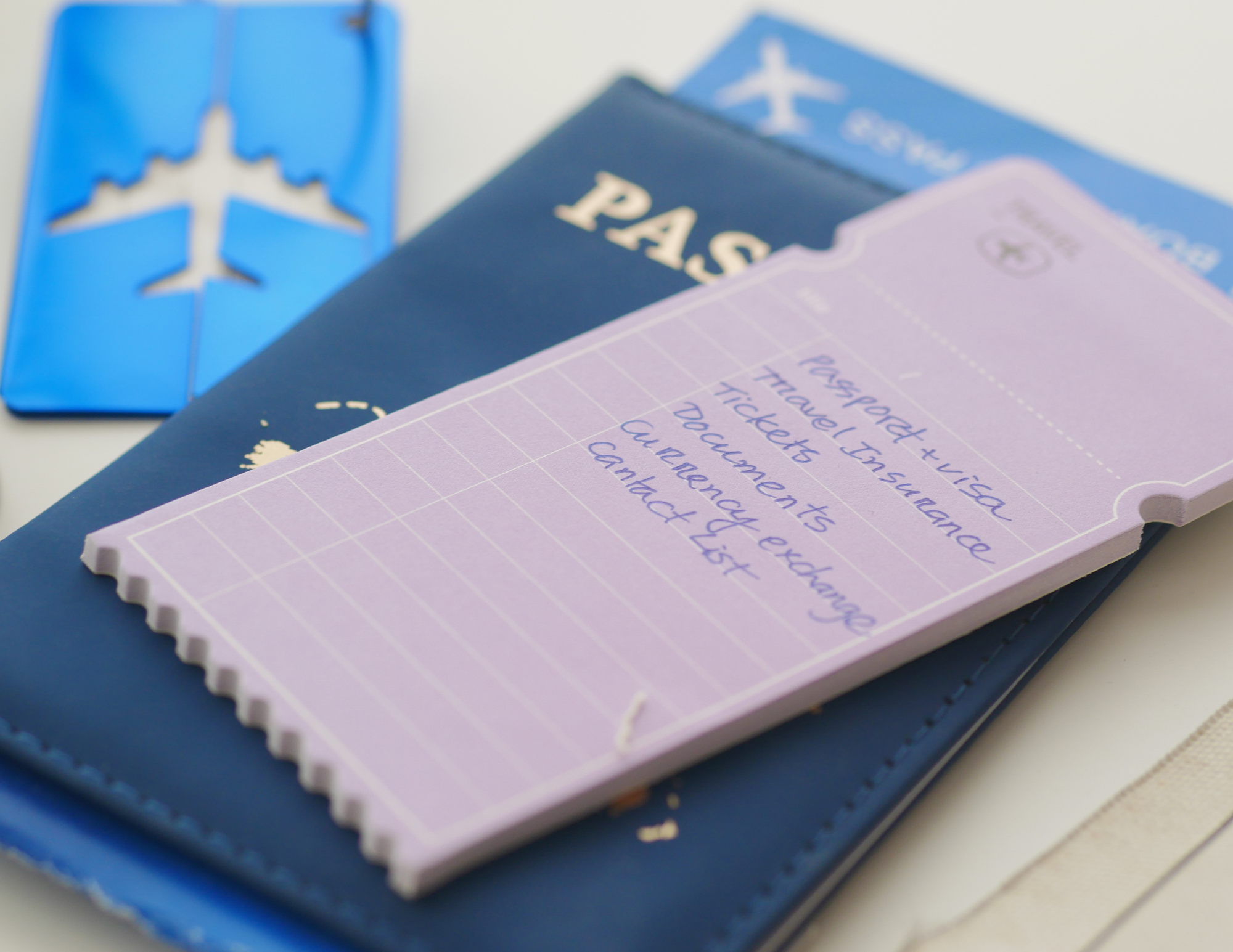
Once your trip is mostly planned, use AI to create a final checklist.
This helps catch things you may have missed before you leave.
Prompt:
Create a final pre-trip checklist for my trip to [destination]. I leave on [date] and will stay for [number of days]. My plans include [activities/cities]. Include documents, mobile data, transportation, accommodation, money, travel insurance, packing, tickets, reservations, apps, and anything I should download or save before arrival.
A checklist like this can help you avoid the small mistakes that create big stress.
You can also ask:
What should I do 1 week before, 3 days before, the night before, and the morning of my trip?
That timeline makes the prep feel more manageable.
Before an international trip, I like having these basics handled:
Passport and entry requirements checked
Accommodation address saved
Airport or station transportation researched
Mobile data or eSIM ready
Bank cards and backup payment options sorted
Travel insurance considered
Tickets and reservations downloaded
Maps or key locations saved
Portable charger packed
Adapter packed
Important documents backed up
AI can build the list, but you still have to check things off.
.png)
How to Make Any AI Travel Prompt Better
If you only remember one thing, remember this: add more context.
A weak prompt says:
Plan me a trip to Spain.
A better prompt says:
Help me plan a realistic 10-day trip to Spain for a mid-range traveler who wants food, historic neighborhoods, easy train connections, and a slower pace. I do not want to switch cities every two days. Suggest a route with 2 or 3 bases, realistic transit times, good neighborhoods to stay in, and one day trip option from each base.
That second prompt is much stronger because it tells AI what kind of trip you want.
You can improve almost any travel prompt by adding:
My budget is…
My travel pace is…
I care most about…
I do not want…
I am traveling with…
I prefer to stay near…
I need time for…
I am comfortable with…
I want to avoid…
Tell me what might be unrealistic.
That last line is powerful.
Tell me what might be unrealistic.
AI will often give you a polished answer unless you ask it to critique the plan. Asking for the problems makes the itinerary more useful.
My Favorite Travel Tools to Use With AI Planning
Airalo eSIM
AI is more useful when you can actually use it outside your hotel room. An Airalo eSIM helps you stay connected for maps, translation, transportation apps, hotel messages, restaurant searches, and last-minute plan changes.
Booking.com
Once AI helps you choose the best neighborhood, Booking.com is where you can compare real stays, prices, reviews, cancellation policies, and map locations.
GetYourGuide
AI can help you decide what kind of tours are worth booking, but GetYourGuide lets you compare actual food tours, museum tickets, walking tours, day trips, and skip-the-line options.
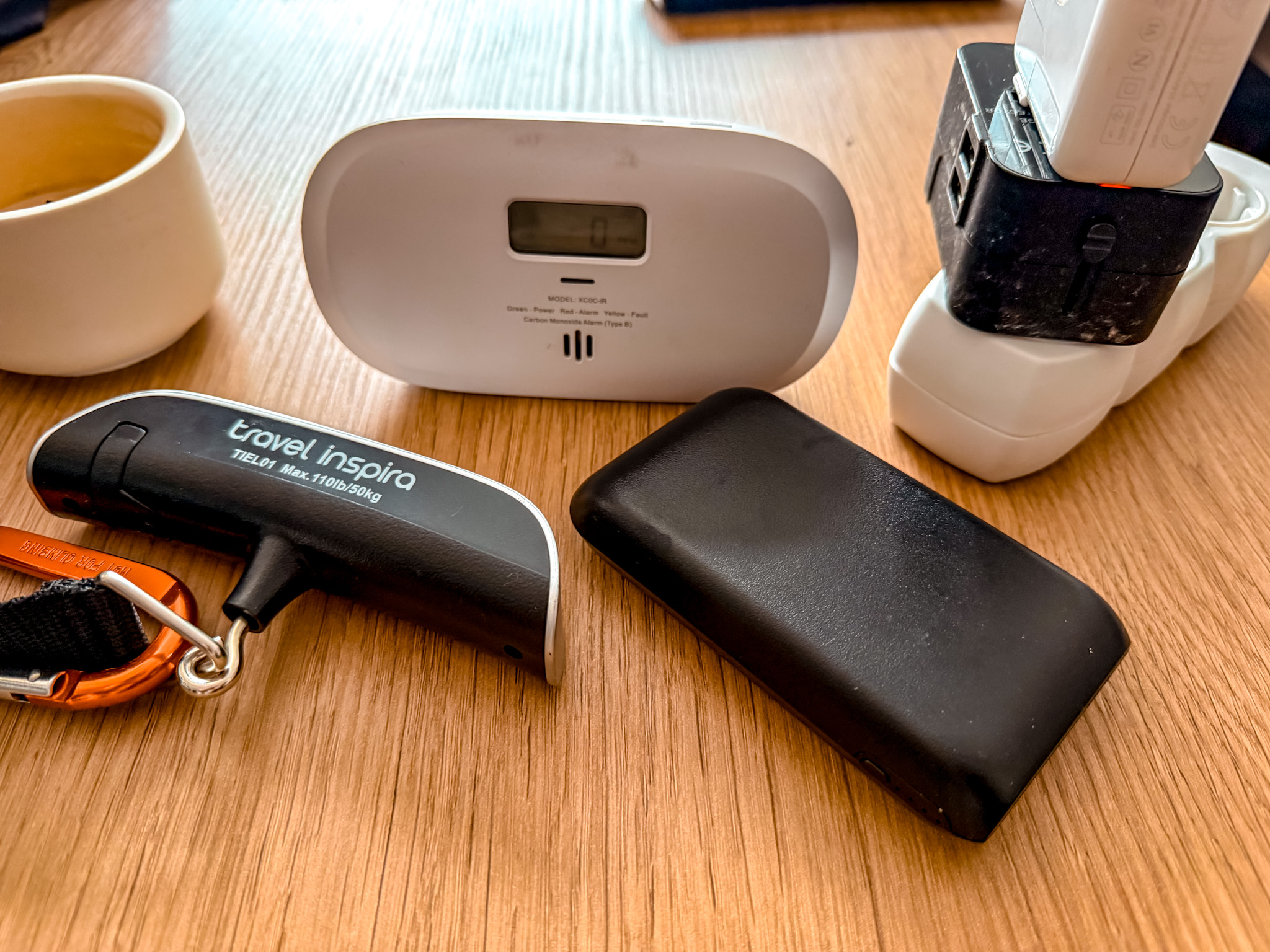
Portable Charger
If your phone is handling maps, tickets, photos, translation, banking apps, and AI searches, a portable charger is not optional. It is one of the easiest travel tech items to recommend.
Universal Travel Adapter
For international trips, a universal adapter with USB-C ports makes charging your phone, laptop, power bank, and camera gear much easier.
Tech Organizer
A tech pouch keeps cords, chargers, adapters, earbuds, and small accessories together so you are not digging through your bag on travel days.
Luggage Scale
A luggage scale is especially helpful for budget airlines, multi-city trips, and Europe routes where baggage rules can change from one carrier to another.
AirTags or Luggage Trackers
For checked bags, long routes, and multi-city trips, luggage trackers give extra peace of mind when your bag is moving through airports, buses, trains, or hotels.

Final Thoughts: Better Prompts Create Better Trips
AI can make travel planning easier, but only when you use it with real context.
Do not ask for a generic itinerary and expect a perfect trip. Tell AI how you travel. Tell it what you care about. Tell it what you want to avoid. Ask it to slow the plan down. Ask it to group things by neighborhood. Ask it to build in food breaks. Ask it to create a rainy-day version. Ask it to point out what is too rushed.
Then fact-check everything before you book.
That is the balance.
AI can help you organize the chaos, compare options, and build a better first draft. Your job is to bring the judgment, real-world research, and personal preferences that make the trip actually work.
When you combine better prompts with practical travel tools like mobile data, booking platforms, maps, travel insurance, money apps, and simple tech gear, the whole process gets easier.
The goal is not to let AI plan your entire trip for you.
The goal is to use AI to plan smarter, spend better, move easier, and enjoy more of the trip once you are finally there.

Cavetta is the creator of LifeWithVetta.com and has been traveling the world full time since 2020. She has visited more than 60 countries while worldschooling her son and documenting what it really takes to live abroad. Her guides focus on travel, moving abroad, digital nomad life, and designing a life beyond the traditional path.
