

Travel planning has changed so much over the last few years.
There was a time when planning a trip meant having twenty tabs open, jumping between Google Maps, hotel reviews, TikTok videos, transportation websites, old blog posts, restaurant lists, attraction pages, and screenshots you hoped you would remember to look at later. And if i’m being real, a lot of that still happens. Travel planning is exciting, but it can also get overwhelming fast, especially when you are trying to figure out what is actually worth doing, where to stay, how to move around, what fits your budget, and what makes sense once you are actually on the ground.
That is where AI can be helpful.
I do not think AI should replace real travel research, lived experience, or common sense. It cannot walk the streets for you. It cannot tell you how a neighborhood feels at night. It cannot always know when a restaurant quietly closed, when a museum changed its hours, or when a “quick” transit route is actually exhausting with luggage. But when you use it the right way, AI can help you organize your ideas, build a more realistic itinerary, compare neighborhoods, create a budget, find better questions to ask, and turn travel planning from a scattered mess into something much easier to work with.
The key is knowing how to ask.
A basic prompt will give you a basic trip. But a detailed prompt that includes your travel style, budget, pace, interests, family situation, food preferences, and comfort level can give you a much better starting point. That is the difference between “plan me a trip to Paris” and “help me plan a realistic 5-day Paris itinerary for a first-time visitor who wants museums, beautiful walks, affordable food, neighborhood exploring, and enough downtime not to feel exhausted.”
Those are two very different requests.
In this post, I am going to walk you through how to use AI to plan a trip in a way that actually helps. We will talk about the prompts to use, the mistakes to avoid, how to fact-check your itinerary, and the travel tools that make AI planning more useful once you land. Because planning the trip is one thing. Actually moving through a new country with maps, train routes, hotel check-ins, restaurant searches, translation apps, and last-minute changes is another.
If you are planning an international trip, a long-term travel route, a family trip, a digital nomad stay, or even just trying to make your next vacation feel less chaotic, AI can be a powerful tool. You just have to use it like a smart assistant, not like a magic travel agent.
.png)
Why AI Travel Planning Is Useful, But Not Perfect
AI is useful because it can take a messy idea and organize it quickly.
You can give it a destination, number of days, budget, and travel style, and it can help you turn that into a first draft. It can group attractions by neighborhood, suggest the best order to visit places, build a rough daily schedule, create packing lists, compare city areas, explain transportation options, and help you think through what you might be missing.
That can save a lot of time.
But AI is not perfect. This is where people get into trouble. If you blindly follow an AI-generated itinerary without checking it, you may end up with attractions that are closed on the day it suggests, transit times that are unrealistic, restaurants that are no longer open, neighborhoods that do not fit your travel style, or a schedule that looks good on paper but feels exhausting in real life.
That is why I see AI as a starting point, not the final answer.
It is great for organizing. It is great for brainstorming. It is great for helping you think through options. But before you book anything, you still need to check official websites, reviews, maps, transportation schedules, weather, visa rules, and ticket requirements.
I use AI the same way I would use a very fast research assistant. I let it help me sort through ideas, but I still bring my own judgment into the final plan.
That matters even more if you are doing the kind of travel I often talk about, like full-time travel, slow travel, Schengen shuffling, moving between countries, or traveling with family. A rushed vacation itinerary and a realistic long-term travel route are not the same thing. AI can help with both, but only if you tell it what kind of trip you are actually planning.
If you are still figuring out the bigger picture of international travel, my guide on how to move abroad or travel long-term goes deeper into the planning side of visas, money, timing, and the reality of living outside your home country.
.png)
Why Basic AI Travel Prompts Usually Fail
The biggest mistake people make with AI travel planning is asking vague questions.
For example:
“Plan me a trip to Italy.”
That sounds simple, but it leaves out almost everything that matters.
How many days do you have? Are you flying into Rome or Milan? Are you traveling solo, as a couple, with kids, or with a friend? Do you care more about food, history, beaches, shopping, museums, nightlife, or slow neighborhood exploring? Are you on a tight budget or are you willing to splurge? Do you want to move cities every two days, or would that make you miserable? Are you carrying luggage on trains? Are you comfortable with early mornings? Do you need elevators, easy transit, or family-friendly pacing?
AI needs context.
Without context, it will usually give you the most obvious version of a trip. That means famous landmarks, generic restaurants, packed days, and suggestions that sound fine until you actually try to follow them.
This is why a lot of AI itineraries feel flat. The problem is not always the tool. Sometimes the problem is the question.
Instead of asking AI to plan a trip, you want to teach it how to think like your kind of traveler.
That means giving it:
Your destination
Your number of days
Your budget
Your travel pace
Your interests
Your deal breakers
Your transportation comfort level
Your food preferences
Your family or group situation
Your preferred neighborhoods or accommodation style
Your need for rest days, work days, or slower mornings
Once you include those details, the results get much better.
For example, if I am planning a city trip, I do not just want a list of attractions. I want to know what can be grouped together without backtracking. I want to know where to eat nearby. I want to know when to book ahead. I want to know if a museum is closed on Mondays. I want to know if a day is too packed. I want to know what makes sense if it rains. I want to know where I can stop for a simple grocery store lunch if I do not feel like spending restaurant money every day.
That is the kind of prompt that helps.

The Best Master Prompt for AI Travel Planning
Here is a strong prompt you can copy and adjust for almost any trip.
AI Travel Planning Prompt:
You are helping me plan a realistic trip to [destination]. I am traveling for [number of days] with [solo/family/friend/partner]. My budget is [budget level], and my travel style is [slow/balanced/packed]. I care most about [food/history/neighborhoods/free things/museums/day trips/cafes/views/shopping/nature]. Build me a day-by-day itinerary with realistic transit times, meal breaks, neighborhood grouping, estimated costs, and backup options for bad weather or low-energy days. Avoid generic tourist traps unless they are truly worth it. Also include what I should book in advance, what can be done last minute, and what might be overrated for my travel style.
That prompt is already much better than “plan me a trip.”
It tells AI who you are, how you travel, what matters to you, and what kind of trip you want. It also asks for realistic pacing, which is one of the most important parts of travel planning.
You can make it even stronger by adding details like:
I do not want to rent a car.
I prefer public transportation.
I am traveling with a teenager.
I need budget-friendly food options.
I want to avoid switching hotels too often.
I am working remotely during part of the trip.
I want a mix of famous landmarks and local neighborhoods.
I do not want every day to start early.
I need options for rainy days.
I want to know which attractions are close together.
The more specific you are, the better the plan gets.
This is also why AI can be so helpful for people who are overwhelmed at the beginning. You may not know every detail yet, but you can use AI to help you narrow things down. Ask it to compare three neighborhoods. Ask it whether a 10-day route is too rushed. Ask it which cities make sense together by train. Ask it what type of traveler would enjoy one area over another.
You are not just asking for answers. You are using AI to think through the trip before you start spending money.
For more detailed examples, my guide to the best AI prompts for travel planning breaks this down by trip type, budget, and destination style.
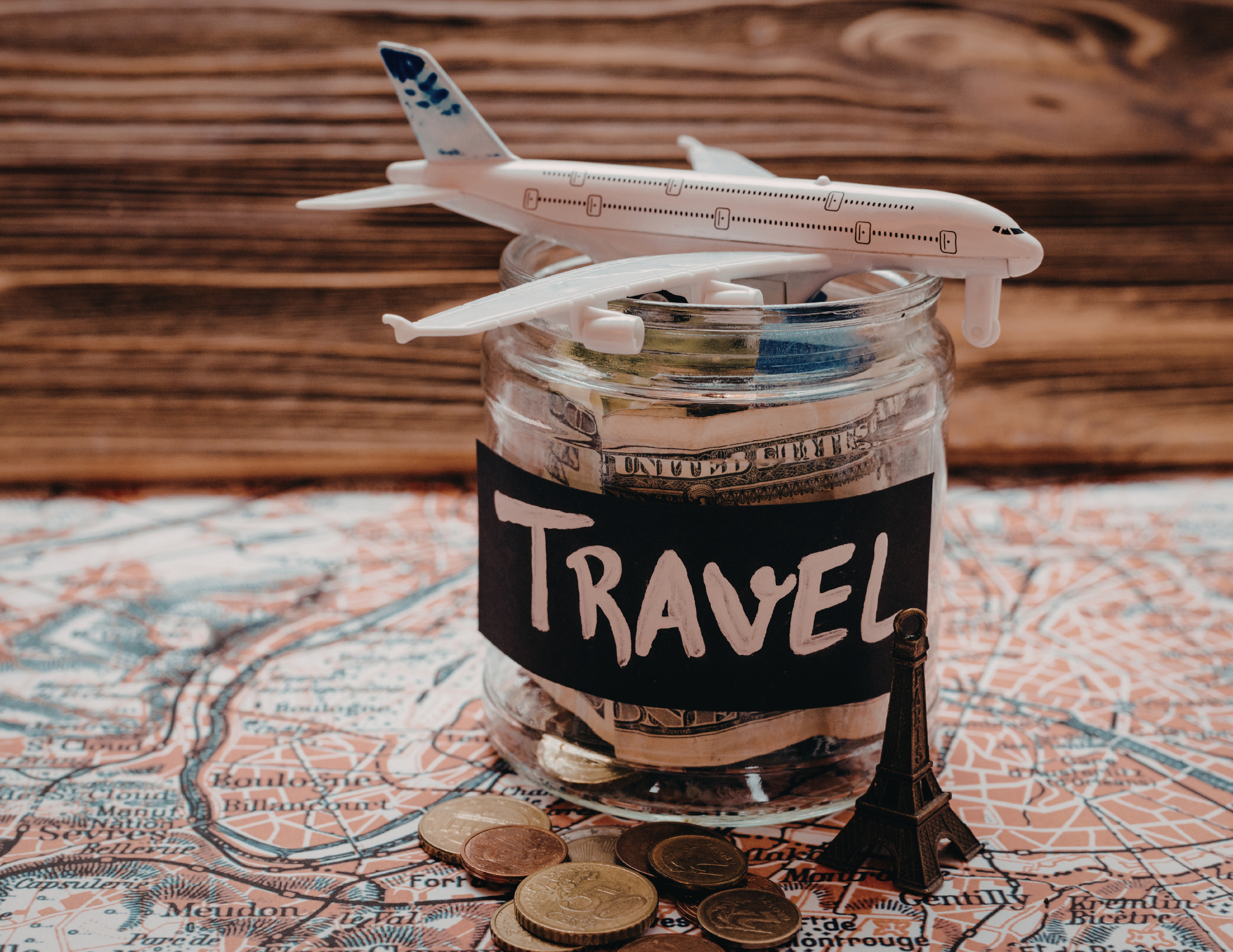
AI Prompts for Budget Travelers
If you are trying to keep costs low, AI can help you find the parts of a trip where you can save money without ruining the experience.
This is especially helpful because travel budgets are not just about flights and hotels. Food, transportation, attraction tickets, luggage fees, mobile data, airport transfers, and random little purchases can add up quickly. A trip that looks affordable at first can get expensive once you start paying for everything day by day.
Here is a good budget travel prompt:
Budget Travel Prompt:
Help me plan a budget-friendly trip to [destination] for [number of days]. I want to spend money on [your priority, like one nice meal, one tour, a good location, or a special experience], but save on everything else. Suggest free things to do, affordable local food, grocery store meal ideas, low-cost transportation, free museum days, walkable neighborhoods, and realistic daily spending estimates. Also tell me where travelers often waste money in this destination.
This kind of prompt helps you decide where to splurge and where to save.
For example, in some cities, staying central may cost more but save you money and time on transportation. In other places, staying slightly outside the center may be worth it if public transit is easy. AI can help you compare those trade-offs, but you still need to check real hotel prices and maps before booking.
After AI helps narrow down the best neighborhoods for your budget and travel style, Booking.com is where you can compare real hotel and apartment prices, read recent reviews, check cancellation policies, and make sure the location actually works for the trip you are planning. This matters because the cheapest stay is not always the best value if you spend too much time and money getting back and forth across the city.
Once the trip moves from planning to reality, simple travel gear can help you save money in small but practical ways. A reusable water bottle, compact laundry kit, luggage scale, packable day bag, and small tech organizer may not seem exciting, but they can make budget travel much easier once you are moving around. Budget travel is not only about finding cheap flights. It is about making smart choices before the little expenses start adding up.

AI Prompts for Food Travelers
Food is one of the best parts of travel, but it is also one of the easiest places to get generic recommendations.
If you ask AI for the “best restaurants in Paris” or “best food in Mexico City,” you may get a list that sounds like every other list online. That can be helpful as a starting point, but if you want better results, you need to ask for regional food, local dishes, markets, bakeries, casual spots, and neighborhoods where people actually eat.
Try this prompt:
Food Travel Prompt:
Help me find great food experiences in [destination] that go beyond tourist restaurants. I want to try regional dishes, casual local spots, markets, bakeries, coffee shops, and affordable places with strong reviews. Organize the suggestions by neighborhood and include what dish or item I should try at each place. Also give me phrases to search on Google Maps so I can find current options nearby once I arrive.
That last sentence is key.
Instead of only asking AI to give you restaurant names, ask it for search terms. That way, when you are actually walking around a city, you can search for things like “traditional bakery near me,” “menu del dia,” “pastel de nata,” “local market lunch,” “family-run restaurant,” or whatever fits that destination.
AI can also help you avoid tourist-menu fatigue. You can ask:
What are the most traditional dishes in this region?
What foods should I try that are not just the famous ones?
What are affordable lunch options locals might eat?
What food markets are worth visiting?
What neighborhoods are known for good casual food?
What dishes should I avoid ordering in tourist zones?
Food is also one of the best reasons to book a guided experience, especially early in a trip. A good food tour can help you understand the local dishes, learn what to order, get comfortable with the area, and find places you may not have noticed on your own. GetYourGuide is useful here because you can compare food tours, market tours, cooking classes, wine tastings, and local experiences before deciding what actually fits your trip.
If you are planning a food-focused trip, you may also want to read my destination guides like best Thai food to eat in Thailand, Lisbon food guide, and Porto food guide for more real examples of how food can shape an itinerary.

AI Prompts for Families
Family travel planning needs a different kind of pacing.
This is one of the places where AI can actually be really useful if you prompt it well. A lot of travel itineraries are written like everyone has endless energy, perfect weather, no bathroom needs, no hunger, no jet lag, and no one in the group who gets tired of walking.
That is not real life.
If you are traveling with kids, teenagers, grandparents, or a mixed-energy group, your itinerary needs breathing room. You need food breaks. You need backup plans. You need parks, easy transportation, and realistic expectations.
Try this prompt:
Family Travel Prompt:
Help me plan a family-friendly trip to [destination] for [number of days]. We want to see the main highlights, but we do not want the trip to feel rushed or exhausting. Build an itinerary with realistic pacing, easy transportation, food breaks, rest time, parks or open spaces, and backup indoor options for bad weather. Include which activities are best for younger kids, teenagers, and adults, and tell me which days might be too much.
This is the kind of prompt that can save a trip from becoming stressful.
You can also ask AI to build a “low-energy version” of each day. That is one of my favorite ways to think about travel planning because sometimes you wake up and realize the full itinerary is not happening. Maybe the weather is bad. Maybe someone is tired. Maybe you stayed out later than planned. Maybe you just need a slower day.
A good family itinerary gives you options instead of pressure.
This is also where having your phone, maps, tickets, and data working becomes a key part of travel planning. When you are traveling with family, the last thing you want is to be standing outside trying to figure out directions, food, transportation, or attraction details with no service and a tired group waiting on you. A portable charger, eSIM, day bag, reusable water bottle, and luggage tracker can all make family travel feel less chaotic.
For more practical planning, my guide to using AI to plan a family trip goes deeper into pacing, kid-friendly stops, rest days, and building itineraries that do not feel like a forced march through a city.
AI Prompts for Digital Nomads and Remote Workers
If you are working while traveling, your priorities change.
You are not just looking for the prettiest hotel or the most exciting itinerary. You need Wi-Fi. You need quiet work time. You need a neighborhood where you can function. You need coffee shops, grocery stores, coworking spaces, transportation, and sometimes a backup plan if the internet goes out.
AI can be helpful here, but you have to prompt it like a remote worker, not a vacationer.
Try this prompt:
Digital Nomad Travel Prompt:
Help me choose the best area to stay in [destination] as a remote worker. I need reliable Wi-Fi, cafes or coworking spaces, easy access to groceries, safe walkable streets, public transportation, and a good balance between local life and things to do. Compare the best neighborhoods by cost, convenience, vibe, transportation, and work setup. Also suggest what I should check before booking a stay.
On the ground, having data is not just convenient. It can change how smoothly the day goes.
When you are working abroad, mobile data is not just for scrolling. It is for maps, messages, client calls, hotspot backup, checking into accommodations, ordering rides, translating, accessing bank apps, and adjusting plans in real time. If the Wi-Fi at your stay is weak, your phone data may become your backup.
That is where an eSIM like Airalo can make sense. Instead of waiting until you land and trying to figure out a local SIM card, you can set up data before or during your trip and have a connection ready once you arrive. This is especially useful if you are landing in a new country, moving between multiple countries, or doing the kind of long-term travel where you do not want to solve the same problem every time you cross a border.
For remote workers, digital nomads, and long-term travelers, the best setup usually includes more than one backup. A strong accommodation choice, a good mobile data plan, a portable charger, and a simple tech pouch can make a real difference. If you are depending on your laptop and phone to earn money abroad, your travel planning has to include your work setup too.
My guide on how to use AI to plan a digital nomad stay abroad goes deeper into neighborhoods, Wi-Fi, coworking, long-stay rentals, and the questions to ask before booking.

AI Prompts for Multi-City Trips
Multi-city trips are where AI can either help you a lot or lead you completely wrong.
On paper, it might seem easy to visit five cities in ten days. But once you add packing, checking out, getting to the train station, waiting, travel time, arriving, finding your hotel, checking in, getting food, and recovering from the move, a “short train ride” can take up half the day.
This is why I always recommend asking AI to be honest about pacing.
Try this prompt:
Multi-City Travel Prompt:
Help me plan a realistic multi-city trip through [country or region] for [number of days]. I am considering [list cities]. Tell me which route makes the most sense by train, bus, or flight. Include realistic travel times, hotel switch days, luggage considerations, and whether this itinerary is too rushed. If it is too rushed, suggest a better version with fewer stops.
You want AI to push back when your plan is too much. Sometimes the best itinerary is not the one with the most cities. It is the one where you actually get to enjoy where you are.
For Europe especially, this matters. A lot of people underestimate how tiring it can be to move every two or three days. Train travel can be beautiful and convenient, but it still takes energy. If you are doing a Schengen shuffle or trying to stretch your time in Europe, route planning becomes even more important because you are not just thinking about what looks fun. You are also thinking about time, borders, visa rules, costs, and how long you can legally stay.
In the planning stage, tools around the trip show their importance too. Booking.com helps you compare stays across different cities, Airalo or another eSIM helps keep your data working as you move, and a luggage scale can help you avoid surprise baggage fees if part of the route includes budget airlines. A multi-city trip has more moving parts, so the goal is to make every transition as smooth as possible.
If you are planning a Europe route, my guides on how the Schengen shuffle works, and how to use AI to plan a Europe trip can help you think through timing, borders, transportation, and realistic pacing.
How to Use AI to Choose Where to Stay
Choosing where to stay can make or break a trip.
A hotel can have beautiful photos and still be in the wrong area for your travel style. An apartment can look affordable and end up being far from everything. A neighborhood can be popular but too loud, too expensive, too touristy, or not convenient for the things you actually want to do.
AI can help you narrow down neighborhoods before you start looking at hotels.
Try this prompt:
Where to Stay Prompt:
Help me choose where to stay in [destination]. I want an area that fits this travel style: [describe your style]. My priorities are [walkability/public transit/food/safety/budget/nightlife/quiet/local feel/family-friendly]. Compare the best neighborhoods for me, explain who each area is best for, and tell me which areas I should avoid based on my preferences.
Once AI gives you neighborhood options, do not stop there.
Open Booking.com or your preferred booking site and check actual prices. Look at recent reviews. Read the negative reviews too. Check the map. See how far the hotel is from transit. Look at whether there is an elevator if you need one. Check if the room has air conditioning, heat, kitchen access, laundry, or whatever matters for your trip.
AI can help you narrow the search, but real booking platforms show you the current details.
This step shouldn’t be skipped because where you stay affects almost everything else. It affects how early you need to leave in the morning, how much you spend on transportation, whether you can easily come back for a rest, where you eat, and how safe or comfortable the trip feels after dark.
For destination-specific help, I have more detailed guides like where to stay in Bangkok, where to stay in Porto, and where to stay in Lisbon that break down neighborhoods by travel style, convenience, and real-world logistics.

How to Use AI While You Are Actually Traveling
AI is not only useful before a trip.
Sometimes it becomes more useful once you are already there.
This is especially true when plans change. Maybe it rains. Maybe the museum is closed. Maybe you are hungry and tired. Maybe your original restaurant is fully booked. Maybe your kid does not want another museum. Maybe you realize the day you planned is too much. Maybe you are in a neighborhood you did not expect to love and want to find something nearby.
That is when you can use AI in real time.
Try prompts like:
I am in [neighborhood] right now and have two hours. I want something low-cost, walkable, and not too crowded. What should I look for nearby?
It is raining in [city]. Adjust my itinerary for today with indoor options, easy food stops, and short transit times.
I am tired and do not want a packed sightseeing day. Give me a slower version of today’s itinerary.
I am near [landmark]. Suggest a casual lunch nearby, a nice walk, and one more thing to do before heading back to my hotel.
I have already done [list places]. What is a less obvious thing to do in [city] that still feels worth it?
If you are going to use AI while walking around a new city, you need data. You need maps, translation, rideshare, messaging, banking apps, tickets, email, and hotel information. You may need to change plans while you are outside, not just when you are sitting on hotel Wi-Fi.
That is one reason I like having an eSIM option when traveling internationally. With Airalo, you can buy eSIMs for different countries, regions, or global travel, depending on your route. For travelers moving between countries or trying to stay connected without relying on airport Wi-Fi or expensive roaming, it can be one of those small planning decisions that makes the whole travel day smoother.
Before your next international trip, set up your Airalo eSIM so you have data ready when you land. It is one less thing to figure out at the airport, and it makes it easier to use maps, message your accommodation, check transit, and adjust your plans in real time.
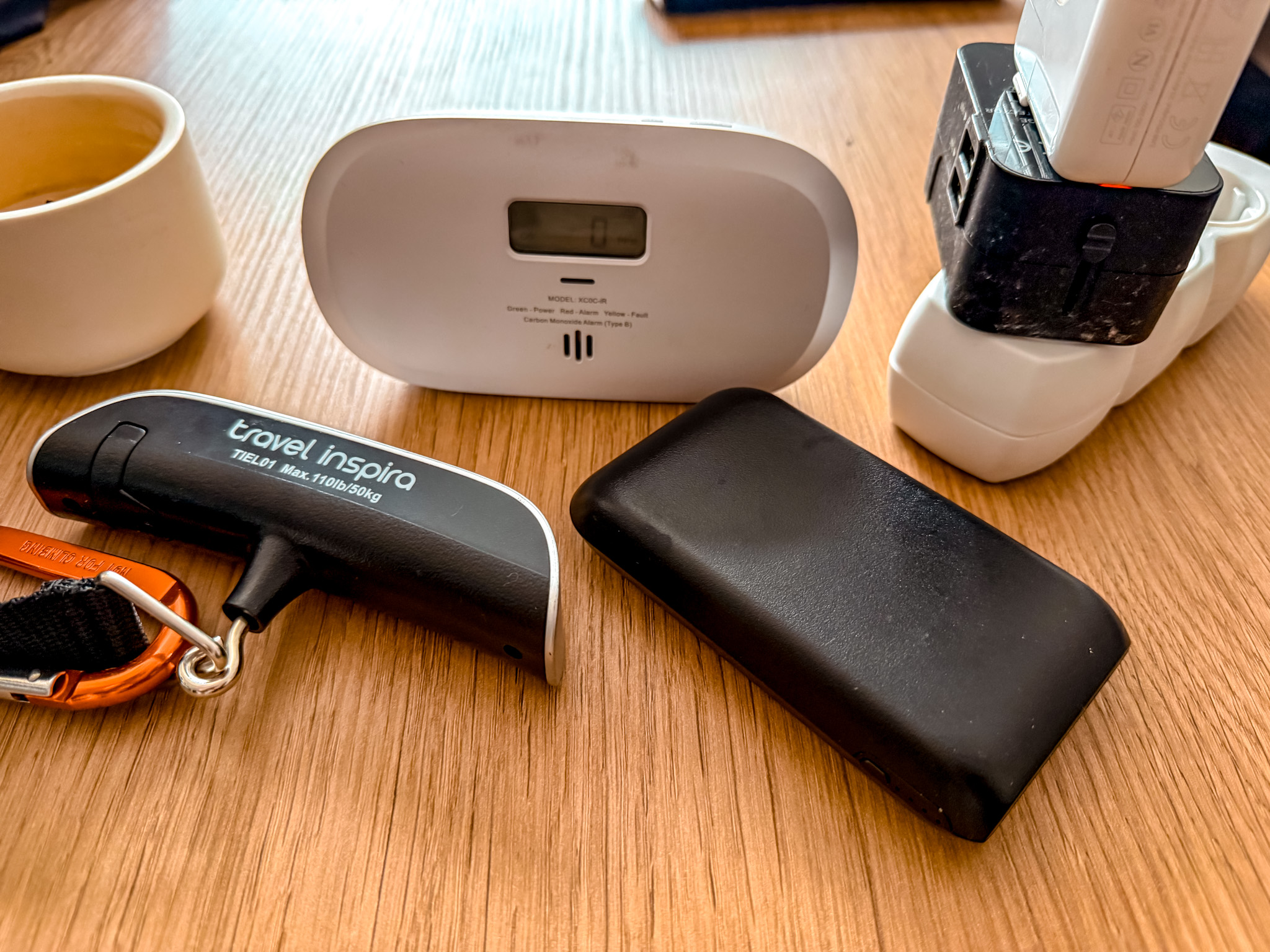
The Travel Tools That Pair Well With AI Planning
AI can help you build the plan, but you still need tools to actually take the trip.
That is the part a lot of people forget. A beautiful AI itinerary does not help much if your phone dies, your hotel is in the wrong area, your data does not work, your train route is unrealistic, or you cannot access your tickets when you need them.
These are the travel tools that make AI travel planning more useful in real life.
An eSIM for International Data
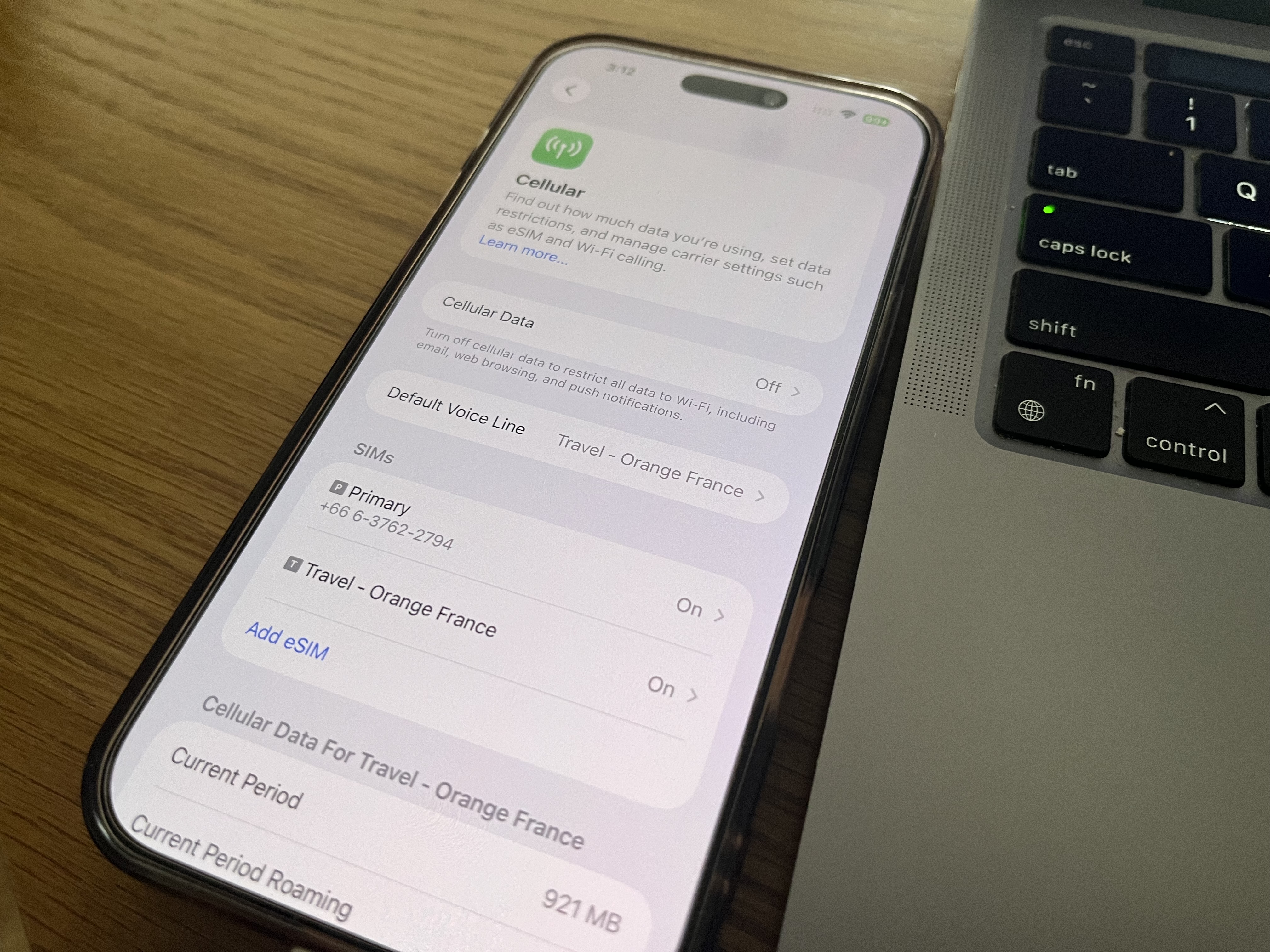
If you are traveling abroad, mobile data matters. It helps with maps, translation, rideshare apps, WhatsApp, banking, restaurant searches, ticket confirmations, and last-minute itinerary changes.
Airalo is a strong option because you can buy eSIMs for many destinations and set up data without needing a physical SIM card. This is especially helpful if you are moving through multiple countries or landing somewhere new and do not want your first task to be figuring out phone service.
The best time to think about data is before you land, not when you are standing in an airport with luggage, tired eyes, and no idea where the SIM card kiosk is. Having an eSIM ready gives you a smoother arrival and makes it easier to use the same AI-assisted planning tools while you are actually walking around.
Booking.com for Hotels and Apartments
AI can help you figure out which neighborhoods make sense, but you still need to compare real stays.
Booking.com is useful because you can check prices, location, reviews, cancellation policies, amenities, and map distance. This matters because AI may help you choose the right area, but you still need to see what is actually available for your dates and budget.
I always pay attention to recent reviews, cancellation policies, location, elevator access, air conditioning or heat, kitchen access, laundry, and whether the stay makes sense for the kind of trip I am taking. A good location can save you time, energy, and transportation money. A bad location can make every day harder than it needs to be.
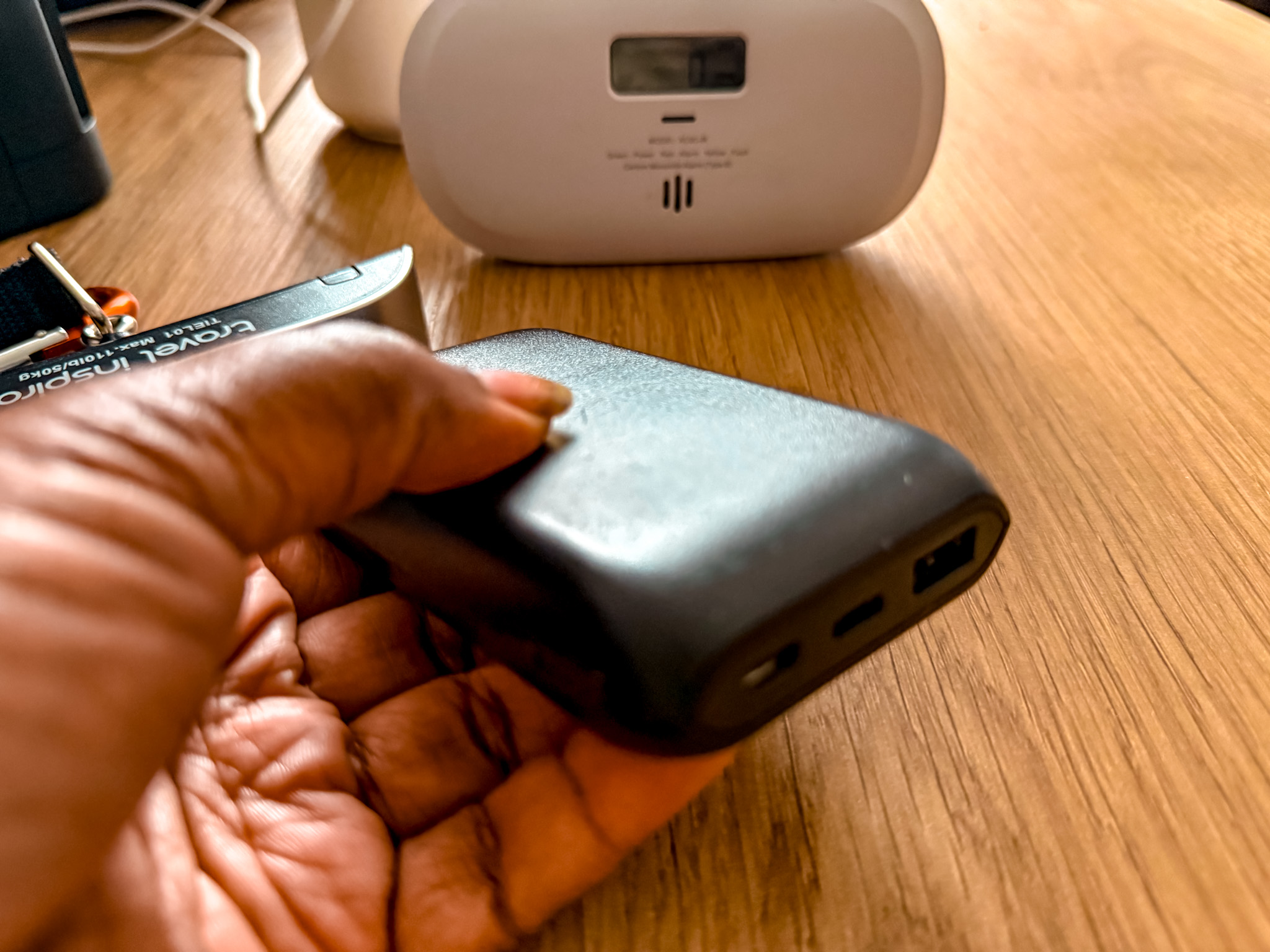
A Portable Charger
If your whole travel day depends on your phone, your phone cannot be dying by 2 p.m.
Between maps, photos, videos, translation apps, tickets, messages, AI searches, and mobile data, your battery can drain fast. A portable charger is one of those boring travel items that becomes essential once you are actually moving around.
This is especially true if you are using AI while traveling. If you are asking for directions, checking backup plans, finding restaurants, pulling up train tickets, and taking photos or videos, you need your phone to last.
This one is a solid choice for your next trip

A Universal Travel Adapter
If you travel internationally, a universal adapter is one of the easiest things to pack and one of the easiest things to forget.
A good adapter keeps your phone, laptop, camera, portable charger, tablet, and other electronics charged without having to buy a new plug every time you land in a different country. I especially like travel adapters with USB-C ports because they make it easier to charge multiple things without carrying a pile of separate blocks.
It is a small item, but it can save you from unnecessary stress on the first night of a trip. We have been to over 60 countries and this has been with us from the start. A must if you are traveling around.

A Luggage Scale
AI can help you find cheap flights, but budget airlines are serious about luggage limits.
A luggage scale can save travelers from surprise fees, especially if they are moving through Europe or Asia on low-cost airlines. It is one of those items that costs a little upfront but can save you money if your bag is close to the limit.
This is especially useful for multi-city trips where you may take trains, buses, and flights in the same route. The more you move around, the more important it becomes to keep your luggage manageable.
We have been using this one and it hasn’t failed us.

A Tech Organizer
When you are traveling with chargers, cords, adapters, earbuds, power banks, camera batteries, and SIM tools, a small tech pouch keeps everything from becoming a mess.
This fits perfectly with modern travel because so much depends on your phone and tech setup. If your charger is buried somewhere in your suitcase, your adapter is missing, or your power bank cord is tangled at the bottom of your bag, travel days become more annoying than they need to be.
A tech organizer keeps your small essentials together so you can find what you need quickly.
This one is compact and perfect for travel
GetYourGuide for Tours and Activities
AI can help you brainstorm things to do, but GetYourGuide helps turn those ideas into real plans.
This is especially useful for day trips, food tours, skip-the-line tickets, museum entries, walking tours, cooking classes, wine tastings, and guided experiences. Once AI gives you ideas for what might be worth doing, GetYourGuide makes it easier to compare options, check reviews, see availability, and book the activities that actually fit your trip.
I especially like using tours when they make the day easier or add context I would not get on my own. Some places are easy to explore independently, but other experiences are better when someone local is explaining the history, food, culture, or logistics.
This wine tasting tour I did in Porto was an amazing experience. Check it out if you are planning a visit.

Travel Insurance for Longer Trips
AI can help you plan a trip, but it cannot protect you if something goes wrong.
If you are traveling longer term, moving between countries, or booking a bigger international trip, travel insurance is worth considering. This is especially true for digital nomads, full-time travelers, people doing a Schengen shuffle, or anyone who will be abroad long enough that a medical issue, delay, cancellation, or unexpected problem could become expensive.
SafetyWing is a popular option for long-term travelers and digital nomads because it is built around people who are moving internationally rather than only taking a short vacation. Even if you are not traveling full-time, it is worth thinking about what kind of coverage makes sense for your trip.
Wise for Managing Money Abroad
If you travel often or move between countries, Wise can be useful for holding currencies, sending money, and managing international spending.
This fits especially well for long-term travelers, digital nomads, expats, and anyone who deals with more than one currency. Travel planning is not just about where you are going. It is also about how you will pay for things, move money, avoid unnecessary fees, and keep your finances organized while abroad.
AI can help you estimate a budget, but tools like Wise can help you manage money more smoothly once the trip is actually happening.
For a full breakdown of the apps and tools that make international trips easier, my guide to the best travel apps for planning an international trip goes deeper into booking, maps, money, mobile data, transportation, and organization.

How to Fact-Check an AI Travel Itinerary
This is one of the most important parts of using AI for travel.
Do not just copy the itinerary and go.
Before you book or follow anything, check:
Museum opening days
Ticket requirements
Official attraction websites
Current restaurant reviews
Transportation schedules
Walking distances
Neighborhood safety and location
Weather
Visa or entry rules
Local holidays
Seasonal closures
Booking deadlines
Recent traveler experiences
AI can give you a plan that sounds confident and still be wrong.
That does not mean you should not use it. It just means you should use it wisely.
One of the best ways to fact-check an AI itinerary is to paste the plan back into AI and ask it to critique itself.
Try this prompt:
Fact-Check Prompt:
Review this itinerary and tell me what might be unrealistic, outdated, too rushed, or difficult to do in real life. Point out possible issues with transit, opening hours, neighborhood grouping, meal timing, ticket requirements, and energy level. Then suggest a more realistic version.
This is such a helpful step because it forces AI to look for problems instead of only giving you a polished answer.
You can also ask:
Which parts of this itinerary should I verify before booking?
What attractions may require advance tickets?
Which day has too much walking?
Which stops are too far apart?
What should I move to another day?
What is a good backup if it rains?
This is where AI becomes more useful. Not because it gives you a perfect plan the first time, but because it helps you improve the plan before you waste time or money.
For more detailed prompt examples, read the best AI prompts for travel planning before building your next itinerary.
How AI Can Help You Save Money on Travel
AI can help you save money, but not always in the flashy way people promise online.
I would be careful with claims like “AI can save you 30% on hotels and flights” because that depends on the destination, timing, season, booking window, and what you were going to book in the first place. But AI can absolutely help you make smarter decisions that may save money.
It can help you compare neighborhoods so you do not overpay for the wrong location.
It can help you find cheaper transportation options.
It can help you decide when a city pass is worth it and when it is not.
It can help you find free museum days, parks, markets, viewpoints, walking routes, and low-cost food options.
It can help you build a grocery store meal plan for part of your trip.
It can help you avoid booking a hotel far from everything just because the nightly rate looked cheaper.
It can help you understand when a tour is worth paying for and when you can explore independently.
It can help you build a realistic budget before you go.
Try this prompt:
Travel Savings Prompt:
Help me lower the cost of my trip to [destination] without making it feel cheap or miserable. My biggest expenses are likely to be [flights/hotel/food/transport/activities]. Suggest practical ways to save money, where it is worth spending more, where travelers often overspend, and what I should book in advance to avoid higher prices later.
That is a better way to use AI for savings.
It is not about chasing unrealistic discounts. It is about making fewer expensive mistakes.
Saving money on travel often comes down to planning better. Staying in the right area can save money on transportation. Booking the right activities ahead of time can help avoid sold-out tours or inflated last-minute choices. Having a portable charger can stop you from being stranded without your tickets or maps. Having mobile data can keep you from wasting time and money trying to solve problems on airport Wi-Fi.
The small details matter.
How to Build a Realistic Daily Itinerary With AI
A good travel day needs more than attractions.
It needs timing. It needs meals. It needs transportation. It needs space to rest. It needs backup options. It needs to make sense geographically.
This is why I like asking AI to group activities by neighborhood.
Try this prompt:
Realistic Itinerary Prompt:
Build me a realistic day in [destination] focused on [neighborhood or theme]. Include 2 to 4 main stops, a casual lunch option, a coffee or snack break, estimated walking or transit time, and one backup option if I get tired or the weather is bad. Keep the day enjoyable, not packed.
This kind of prompt helps create a day you can actually follow.
A lot of people overplan because they are afraid of missing out. But some of my favorite travel days are not the ones where I checked off the most things. They are the days where the route made sense, the food was good, the walking felt natural, and there was enough room to actually enjoy where I was.
AI can help you build that kind of day if you ask for it.
Instead of saying “give me the best things to do,” ask for a day that flows.
That one shift makes the results much better.
This is also why I like building itineraries around real neighborhoods instead of random attractions scattered across a city. It is the difference between a day that looks impressive online and a day that actually feels good in real life.
If you are planning a route through Europe, my guide on how to use AI to plan a Europe trip can help you think through train days, city pacing, neighborhood grouping, and when it makes sense to slow down.

What AI Cannot Do For Your Trip
AI can help with a lot, but there are things it cannot do.
It cannot guarantee that a place will feel right for you.
It cannot replace reading recent reviews.
It cannot always know if a restaurant, cafe, attraction, or tour has changed.
It cannot understand your energy level as well as you can.
It cannot replace local laws, visa rules, or official entry requirements.
It cannot always know whether a neighborhood fits your comfort level.
It cannot tell you how you will feel once you are actually there.
That is why I would never tell someone to let AI plan their whole trip without doing their own research.
Use AI to make the planning process easier. Use it to organize your thoughts. Use it to compare options. Use it to build a first draft. Use it to ask better questions.
But do not turn your brain off.
The best travel planning still includes your judgment, your preferences, your budget, your body, and your real-life needs.
This is especially true if you are planning something bigger than a quick vacation. If you are thinking about long-term travel, moving abroad, working remotely, or building a route around visa rules, AI can help organize the information, but you still need to understand the real requirements. My guide to how to move abroad or travel long-term is a better place to start for that bigger-picture planning.
-1.png)
My Personal Way of Using AI for Travel Planning
If I were planning a trip from scratch, I would use AI in stages.
First, I would ask it to help me understand the destination. What areas are best for first-time visitors? What neighborhoods are good for food? What areas are better for families, nightlife, quiet stays, or digital nomads?
Then I would ask it to help me choose where to stay. Not a specific hotel yet, but the right area.
After that, I would ask it to create a rough itinerary based on my number of days and travel style.
Then I would ask it to critique the itinerary and tell me what is too rushed.
Then I would check maps, hotel prices, attraction hours, ticket rules, and transportation.
Then I would book the things that need to be booked in advance.
Then I would save a flexible version of the itinerary so I could adjust it once I arrived.
And before landing, I would make sure I had the practical things handled: mobile data, hotel address saved, airport transfer options, maps downloaded if needed, backup payment options, and any important tickets accessible on my phone.
An Airalo eSIM can help you stay connected when you land. Booking.com can help you compare stays after you know which neighborhoods make sense. GetYourGuide can help you turn ideas into real tours, tickets, and day trips. Wise can make international money management easier. SafetyWing can help with travel insurance for longer trips. A portable charger, universal adapter, tech pouch, and luggage scale can make the actual travel days smoother.
AI can help you plan.
But your travel tools help you move through the trip with fewer headaches.

Final Thoughts: AI Can Make Travel Planning Easier, But You Still Need a Real Plan
AI is one of the most useful travel planning tools we have right now, but only if you use it with intention.
Do not just ask it for a generic itinerary. Tell it who you are. Tell it how you travel. Tell it your budget, your pace, your interests, and your limits. Ask it to group things by neighborhood. Ask it to include breaks. Ask it to be honest about what is too rushed. Ask it to give you backup plans.
Then fact-check everything.
That is how you get the best results.
For me, the real value of AI travel planning is not that it magically creates the perfect trip. It helps you organize the chaos. It helps you think through your options. It helps you avoid obvious mistakes. It helps you ask better questions before you spend money.
And once you are actually traveling, it can help you adjust in real time.
That is why your full travel setup matters too. A good itinerary is helpful, but so is having mobile data when you land, a stay in the right neighborhood, a charged phone, access to your tickets, and a backup plan when the day changes.
AI can plan the trip.
But you still have to live it.
And the better prepared you are, the easier it is to enjoy the experience once you finally get there.

Cavetta is the creator of LifeWithVetta.com and has been traveling the world full time since 2020. She has visited more than 60 countries while worldschooling her son and documenting what it really takes to live abroad. Her guides focus on travel, moving abroad, digital nomad life, and designing a life beyond the traditional path.
