

Staying connected while traveling internationally is one of those things people do not always think about until the moment they need it.
You land in a new country. You are tired. You need to pull up your hotel address, message your host, find the train route, order a rideshare, translate a sign, check your bank app, or figure out which direction to walk. Then you realize your phone has no data, the airport Wi-Fi is spotty, and you are standing there trying to solve a problem that could have been handled before the plane even landed.
I have learned that phone service is not a small detail when you travel. It affects almost everything.
It affects how easily you move through an airport. It affects whether you can use maps. It affects your ability to check in, contact your accommodation, use WhatsApp, pull up tickets, translate menus, compare transportation options, and adjust plans when something changes. If you are using AI to help plan your trip or make real-time changes while you are already out exploring, mobile data becomes even more important.
Travel is easier when your phone works.
That does not mean you need to be online every second of the day or glued to your screen. It means you need enough reliable access to handle the practical side of travel without unnecessary stress. You can still put your phone away and enjoy the city. But when you need directions, a ticket, a translation, a ride, or a backup plan, you want your phone to do what it is supposed to do.
In this guide, I am going to walk through how to stay connected while traveling internationally, including eSIMs, local SIM cards, roaming, public Wi-Fi, travel apps, phone settings, and the simple tech items that make international travel smoother.
If you are using AI to plan your trip, start with my guide on How to use AI to plan a trip and my list of Best AI prompts for travel planning. Those guides show you how to build a smarter itinerary, and this post helps you make sure you can actually access that plan once you land.

Why Staying Connected Abroad Matters More Than People Realize
Travel used to be more paper-based. You printed hotel confirmations, carried maps, wrote down addresses, and hoped you could figure it out when you arrived.
Now, your phone carries almost everything.
Your boarding pass may be on your phone. Your hotel address may be in your email. Your train ticket may be in an app. Your bank verification code may come through your phone. Your translation tool, maps, rideshare app, itinerary, restaurant list, and travel insurance information may all be digital.
That makes travel more convenient, but it also means your phone setup matters.
A lot of people think about data as something they need for social media, but that is not the main reason I care about it. I care about data because travel days can change fast. Flights get delayed. Trains move platforms. Museums close. Restaurants are fully booked. Weather changes. Your hotel may ask you to message on WhatsApp. You may need to find an ATM, pharmacy, grocery store, or backup transportation option.
Having data gives you more control in those moments.
It also helps if you are traveling with family. When you are moving through a new place with kids, teenagers, older parents, or a group, you do not want to be the person standing there guessing which direction to go while everyone is hungry and tired. You want maps, transportation, tickets, messages, and backup options ready.
For digital nomads and remote workers, staying connected is even more important. Mobile data may become your backup if your accommodation Wi-Fi is weak, the cafe Wi-Fi is unstable, or you need to hotspot your laptop in a pinch. If you are working abroad, internet access is not just a convenience. It is part of your income setup.

The Main Ways to Get Internet While Traveling Internationally
There are a few main ways to stay connected abroad.
You can use an eSIM.
You can buy a local SIM card.
You can use your phone company’s international roaming plan.
You can rely on public Wi-Fi.
You can use a portable Wi-Fi device.
Each option has pros and cons, and the best choice depends on your destination, trip length, phone compatibility, budget, and how much data you need.
For short trips, an eSIM is often the easiest option. You can usually buy it before your trip, install it on your phone, and have data ready when you land.
For longer stays, a local SIM card may be cheaper, especially if you need a lot of data or a local phone number.
For people who do not want to think about anything, international roaming through your home carrier may be convenient, but it can also be expensive depending on your plan.
Public Wi-Fi can help in airports, hotels, cafes, and malls, but I would not rely on it as your only option. It is not always secure, not always fast, and not always available when you actually need it.
Portable Wi-Fi devices can work for families or groups, but they are one more thing to charge, carry, and return if rented.
For most travelers, I would start by checking whether your phone supports eSIMs. If it does, an eSIM is usually one of the simplest ways to arrive prepared.

What Is an eSIM?
An eSIM is a digital SIM card.
Instead of putting a physical SIM card into your phone, you install a digital data plan directly on your device. If your phone supports eSIM technology, you can often buy a plan before your trip, install it, and activate it when you arrive or when the plan tells you to activate.
This is one of the easiest ways to avoid the airport SIM card hunt.
With an eSIM, you do not have to find a kiosk, remove your physical SIM card, keep track of a tiny piece of plastic, or try to explain what data plan you need after a long flight. You can set things up ahead of time and land with a plan.
Airalo is one of the most popular eSIM options for travelers because it offers eSIMs for individual countries, regions, and global travel. That can be helpful if you are taking a one-country vacation, moving through multiple countries in Europe, or planning a longer international route.
For example, if you are going to France for a week, a country-specific eSIM may be enough. If you are traveling through Portugal, Spain, France, and Italy, a regional Europe eSIM may make more sense. If you are moving through several parts of the world, a global eSIM may be worth comparing.
The best choice depends on your route.
Before buying any eSIM, check your phone compatibility, whether your phone is unlocked, how much data you need, whether hotspot is allowed, when the plan activates, and whether the plan includes data only or also calls and texts. Many travel eSIMs are data-only, so you may still use apps like WhatsApp, FaceTime, Messenger, iMessage, or email for communication.

eSIM vs. Local SIM Card
Both eSIMs and local SIM cards can work well.
The better choice depends on your trip.
An eSIM is usually easier. You can buy it before you arrive, install it on your phone, and avoid wasting time after landing. It is especially useful for short trips, multi-country trips, late-night arrivals, family travel, and anyone who wants less friction on arrival day.
A local SIM card can sometimes be cheaper for long stays, especially in countries where mobile data is very affordable. It may also be better if you need a local phone number, plan to stay for months, or need a large amount of data.
The tradeoff is convenience.
With a local SIM, you may need to find a store, show your passport, choose a plan, wait in line, and sometimes deal with language barriers. In some countries, the process is easy. In others, it can take more time than you expected.
For a short international trip, I usually prefer the simplest option. I want data working when I land so I can get to my accommodation, check maps, message if needed, and settle in without adding another task to arrival day.
For longer stays, I would compare both. You may start with an eSIM for arrival and then switch to a local SIM if you are staying long enough for the savings to matter.
That approach can work well for slow travel, digital nomad life, or a move-abroad test run.

eSIM vs. International Roaming
International roaming through your regular phone carrier can be convenient, but it is not always the cheapest option.
Some U.S. phone plans include international data in certain countries. Others charge a daily fee. Some have slower speeds after a small amount of data. Some work well in one country and not as well in another.
Before you travel, check your actual carrier plan. Do not assume.
Ask these questions:
How much does international data cost per day?
Is the country I am visiting included?
Is there a data limit?
Does the speed slow down after a certain amount?
Can I use hotspot?
Are calls and texts included?
Will I be charged automatically if I turn roaming on?
If your carrier gives you affordable international data, roaming may be fine. If the plan is expensive, limited, or unclear, an eSIM may be a better option.
The biggest thing is avoiding surprise charges.
Before leaving, I like to turn off data roaming for my primary line unless I know exactly what the cost will be. Then I use my eSIM for data abroad. That way, I am not accidentally letting my home carrier charge me when I thought I was using the travel plan.
Phone settings matter. A great eSIM does not help if your phone is still pulling data from the wrong line.

How to Choose the Best eSIM for Your Trip
The best eSIM is the one that fits your actual trip.
Do not only look at the cheapest plan. Look at coverage, data amount, duration, hotspot rules, activation timing, and whether it covers every country you are visiting.
For a short city trip, you may only need a small data plan.
For a family trip, you may need more data because you will use maps, messages, photos, tickets, transportation apps, and maybe hotspot.
For a digital nomad stay, you may need a larger plan or a backup option in case your Wi-Fi is unreliable.
For a multi-country Europe trip, a regional eSIM may be easier than buying separate plans for each country.
For a long route across different regions, a global plan may be worth comparing.
Here are the questions I would ask before buying:
Does my phone support eSIM?
Is my phone unlocked?
Does the plan cover my destination or full route?
How much data do I realistically need?
How long is the plan valid?
When does the plan activate?
Can I top up if I run out?
Does it allow hotspot?
Is it data-only?
Does it include 4G, LTE, or 5G where available?
Will I need calls or texts, or can I use app-based communication?
Airalo is useful because you can compare local, regional, and global eSIMs based on your route. Before buying, read the plan details carefully so you know exactly what is included.
A little checking before the trip can save a lot of frustration later.

How Much Data Do You Need When Traveling?
How much data you need depends on how you travel.
If you mostly use hotel Wi-Fi and only need maps, messages, and light browsing while out, a smaller plan may be enough.
If you use Google Maps all day, upload videos, watch TikTok, use FaceTime, hotspot your laptop, or rely heavily on AI while walking around, you will need more.
Here is a simple way to think about it.
Light data use means maps, WhatsApp, email, basic browsing, and a few searches.
Moderate data use means maps, social media, restaurant searches, rideshare apps, translation, tickets, and some photo uploading.
Heavy data use means video calls, streaming, uploading content, hotspotting a laptop, cloud backups, or using data all day instead of Wi-Fi.
For most short trips, I would rather have slightly more data than not enough. Running out of data in the middle of a travel day is annoying, especially if you are in a new city and still need maps, transit, or hotel information.
For content creators, remote workers, and long-term travelers, data planning matters even more. You may need your phone for filming, uploading, posting, checking emails, navigating, and staying connected with clients or family.
A portable charger also becomes more important when you are using mobile data all day. Data, GPS, camera use, and screen brightness can drain your phone fast.

How to Set Up Your Phone Before an International Trip
Do not wait until you land to figure out your phone setup.
Before your trip, go through a basic phone prep checklist.
Make sure your phone is unlocked.
Check if your phone supports eSIM.
Install your eSIM before travel if the provider allows it.
Read the activation instructions carefully.
Turn off data roaming on your primary line unless you know the cost.
Download offline maps for your destination.
Save your hotel address.
Download transportation apps you may need.
Save tickets and confirmations offline.
Make sure WhatsApp or your preferred messaging app works.
Check your bank app login before leaving.
Update important apps while still on home Wi-Fi.
Charge your portable charger.
Pack your adapter and cords in your personal item.
That last part is important.
Do not pack your charger, adapter, power bank, or cords deep in your checked bag if you need them during the travel day. Keep them where you can reach them.
A tech organizer makes this much easier. You can keep your charging cables, SIM tool, portable charger, earbuds, adapter, and small accessories together instead of digging through your bag every time something dies.
For international trips, I like to have my phone ready before I leave home. The fewer things I have to solve after landing, the better.
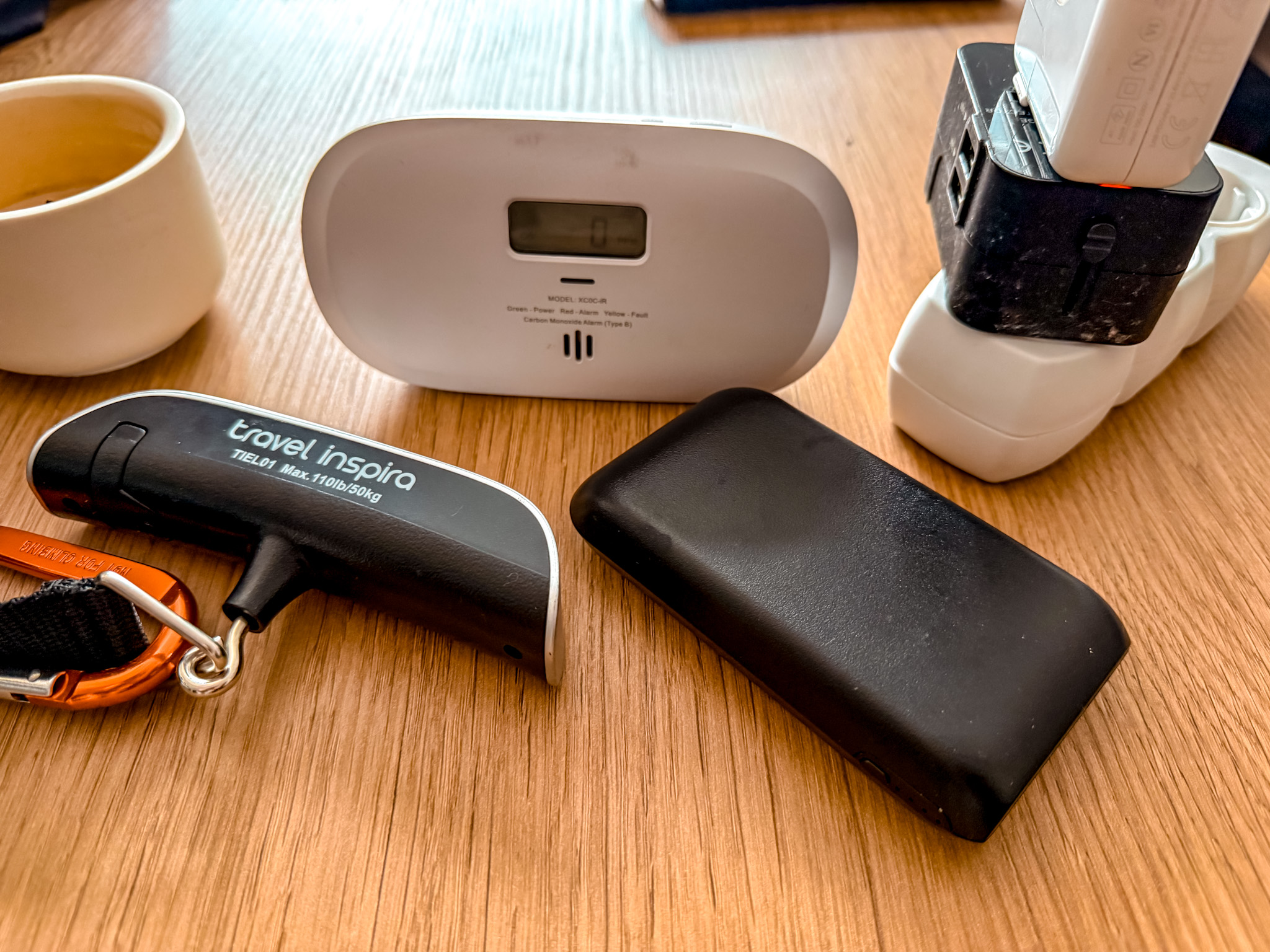
The Travel Tech I Pack to Stay Connected Abroad
You do not need a suitcase full of gadgets to stay connected while traveling.
A few practical items can make a big difference.
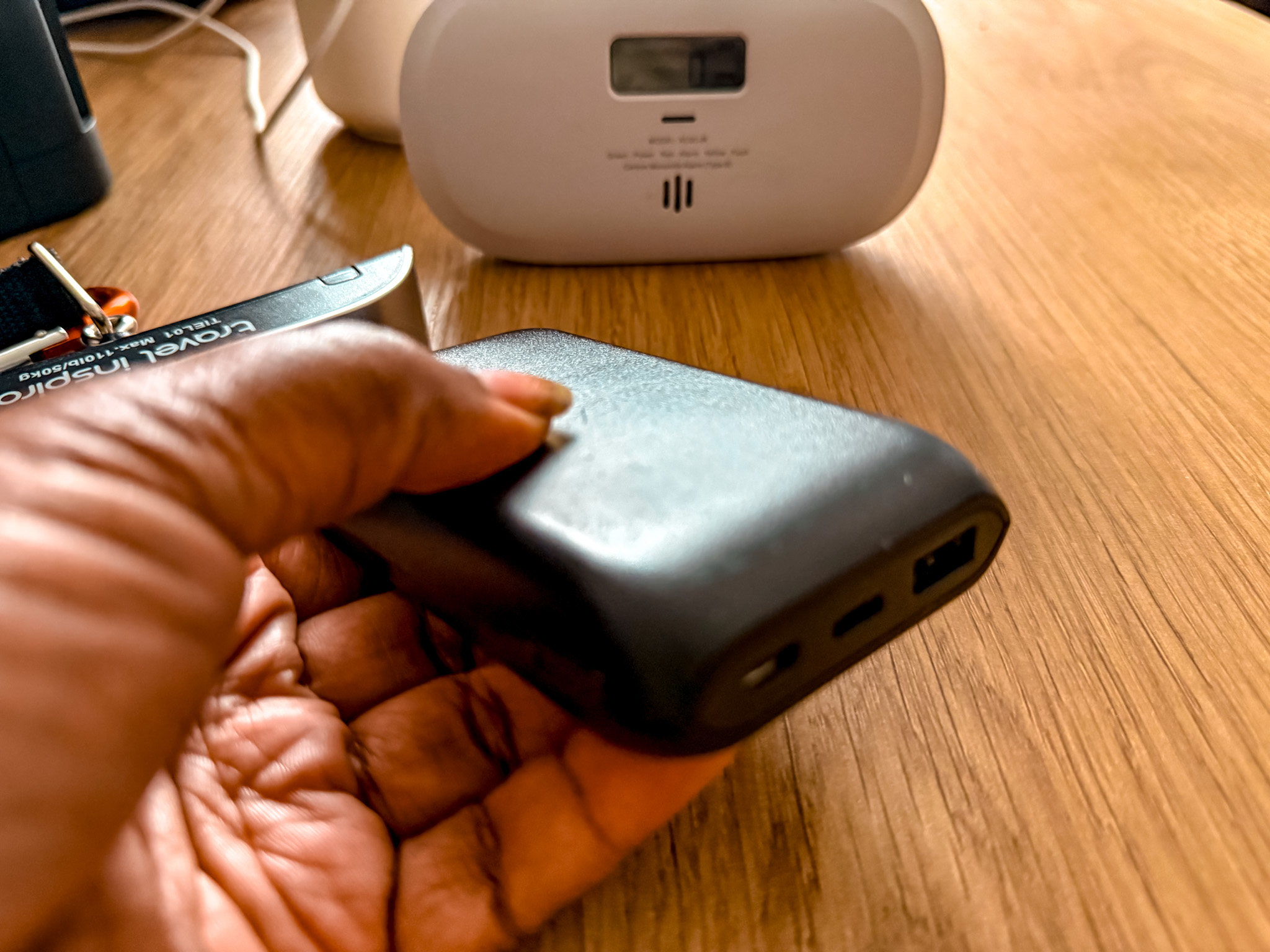
Portable Charger
A portable charger is one of the easiest travel tech items to recommend because your phone carries almost everything now: maps, tickets, hotel details, translation apps, photos, messages, banking apps, and last-minute AI searches.
When your whole travel day depends on your phone, keeping it charged is not optional.
I especially like having one on long sightseeing days, travel days, and multi-city trips when I know I will be away from my room for hours.
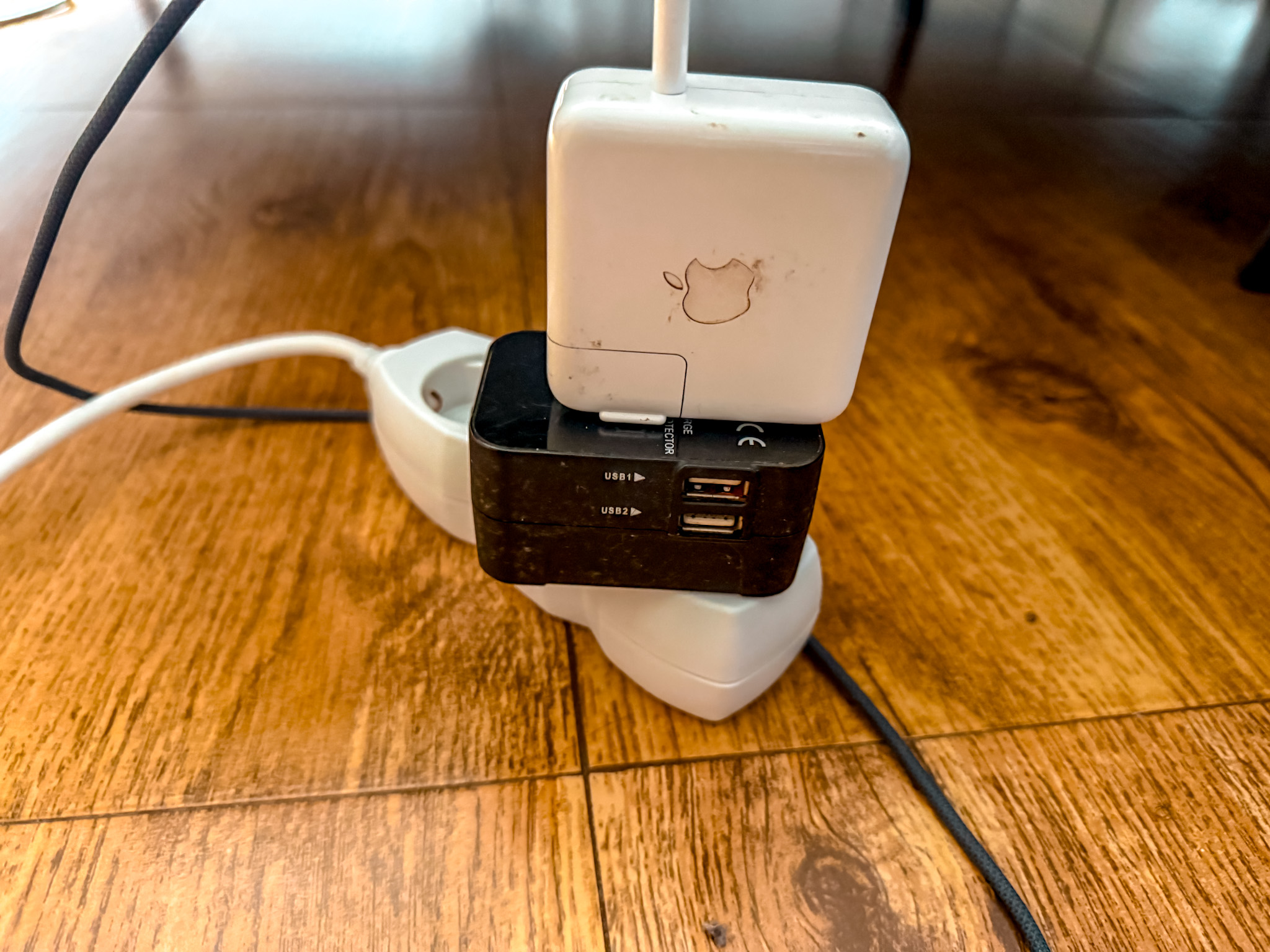
Universal Travel Adapter
A universal travel adapter is one of those small things that can save you stress on the first night of an international trip.
If you travel between countries, look for one with USB-C ports so you can charge your phone, portable charger, tablet, camera gear, and other electronics without carrying a pile of separate blocks.
It is not the most exciting travel item, but it is one of the most practical.
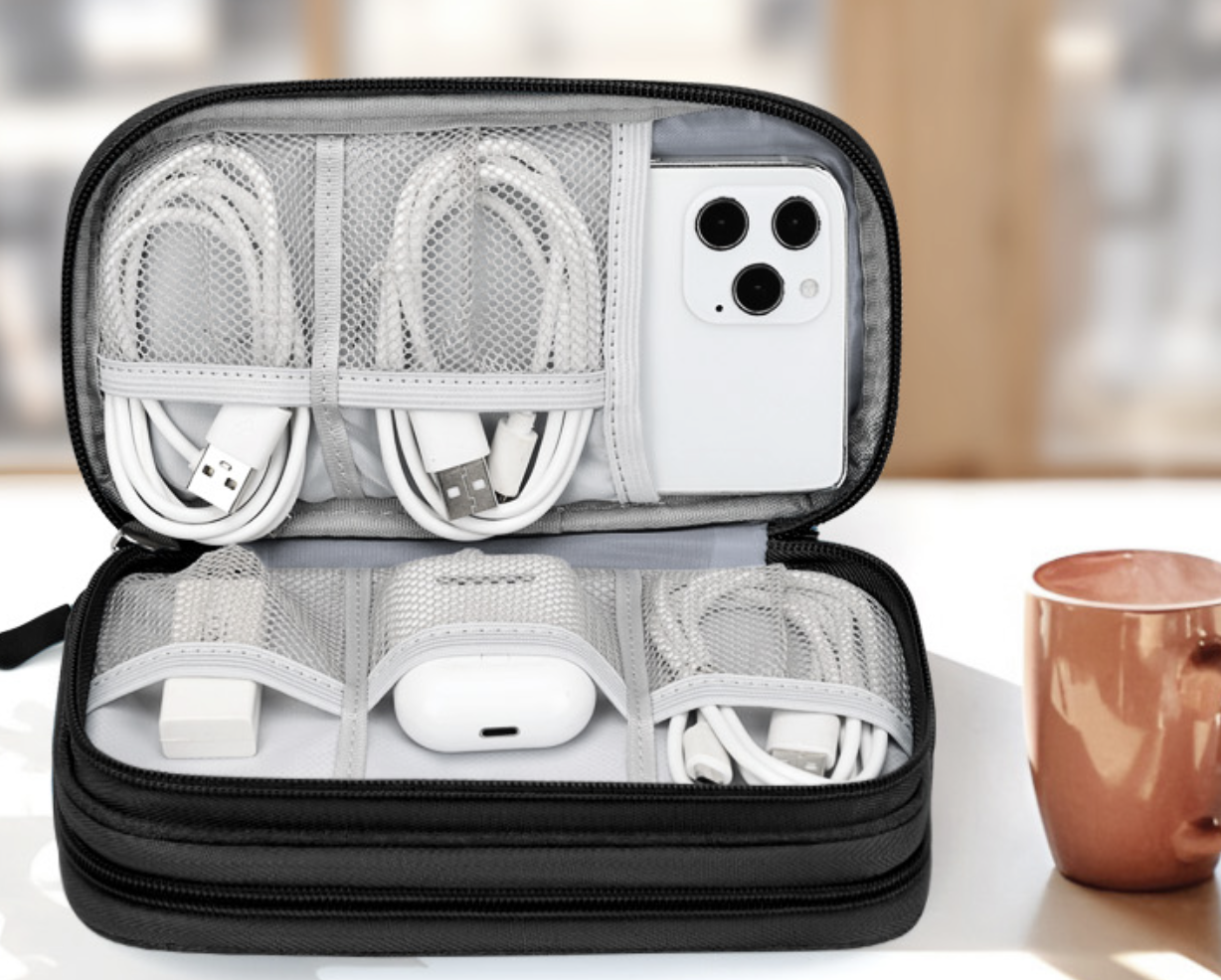
Tech Organizer Pouch
A tech organizer keeps your cords, chargers, adapters, earbuds, SIM tools, memory cards, and power bank from turning into a tangled mess at the bottom of your bag.
It is especially useful if you are working while traveling, moving between cities, or carrying multiple devices.
The less time you spend digging for a charger or adapter, the easier your travel days feel.

Noise-Canceling Earbuds or Headphones
Noise-canceling earbuds or headphones can make flights, trains, buses, cafes, and shared spaces much easier to handle.
They are especially helpful if you work while traveling, get overstimulated on travel days, or just want a little quiet while moving through busy places.
For digital nomads and long-term travelers, they are not just a comfort item. They can become part of your work setup.
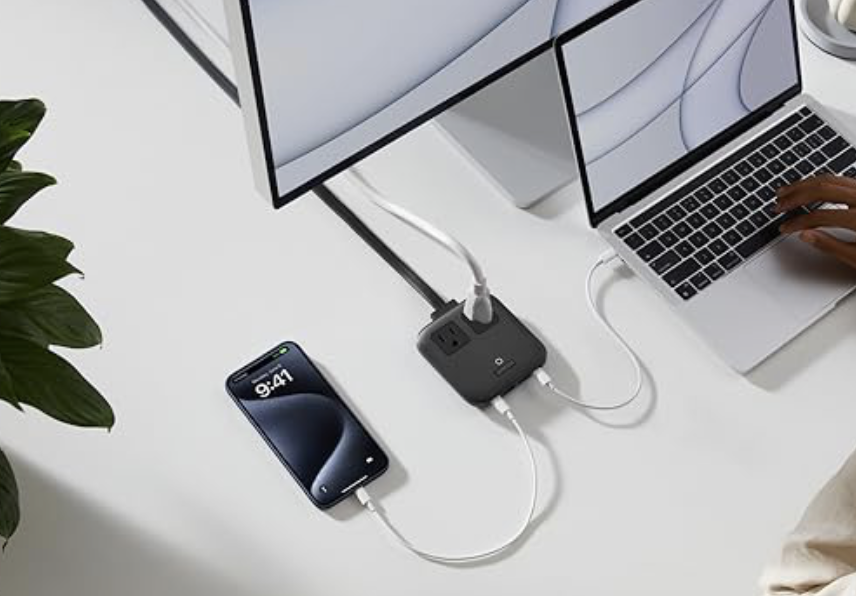
Travel Extension Cord or Mini Power Strip
A small travel extension cord or mini power strip can be surprisingly useful in hotels and apartments where the outlets are never where you need them.
It is especially helpful if you are charging a phone, laptop, portable charger, camera batteries, and other devices at the same time.
For remote workers, families, and long-term travelers, it can make a basic room setup feel much more functional.

Luggage Tracker
A luggage tracker can give you extra peace of mind when you are checking a bag, switching cities, or moving through airports, trains, buses, and hotels.
It will not prevent a bag from getting delayed, but it can help you see where it is and give you more information if something goes wrong.
For longer trips and multi-country routes, that little bit of visibility can make travel feel less stressful.
Using Public Wi-Fi Safely While Traveling
Public Wi-Fi can be helpful, but I would not build my entire travel plan around it.
Airport Wi-Fi, cafe Wi-Fi, hotel Wi-Fi, mall Wi-Fi, and train station Wi-Fi can all be useful, but they are not always reliable. Sometimes the connection is slow. Sometimes you need a local phone number to log in. Sometimes the signal drops. Sometimes it works in one corner and disappears in another.
Security is another issue.
I avoid logging into sensitive accounts on random public Wi-Fi unless I have to. Banking, business tools, private accounts, and anything involving money or personal information deserve more caution.
A VPN can be helpful when using public Wi-Fi, especially if you travel often, work online, or use shared networks in airports, cafes, hotels, and coworking spaces. It does not mean you can be careless, but it can add an extra layer of privacy when you are using networks you do not control.
Even with a VPN, I still prefer having my own mobile data. Public Wi-Fi is fine as a backup. I do not want it to be my only option.
For digital nomads, remote workers, and long-term travelers, a VPN affiliate can fit

The Best Apps to Download Before You Travel
A good phone setup is not only about data. It is also about having the right apps ready before you need them.
At a minimum, I would download:
Google Maps
Google Translate
WhatsApp
Your airline app
Your hotel or booking app
Your banking apps
Your travel insurance app or documents
Transportation apps for your destination
Rideshare apps used locally
Your eSIM app
A currency converter
A notes app or itinerary app
Your password manager, if you use one
For some countries, specific apps matter a lot. In Thailand, for example, transportation, food delivery, maps, and payment apps can shape the whole experience. In China, app prep becomes even more important because travelers may need payment, translation, maps, messaging, and VPN planning before arrival. In Europe, train apps, airline apps, city transit apps, and ticket apps may be the most useful.
AI can help you figure out which apps you need.
Try this prompt:
Travel App Prompt:
Help me prepare my phone for a trip to [destination]. List the essential apps I should download before arrival for maps, translation, transportation, rideshare, food, payment, tickets, mobile data, safety, and travel planning. Tell me which apps are optional and which ones are important.
That prompt works especially well when you are going somewhere with different transportation systems, payment norms, or app culture.
For a deeper app breakdown, read my Best travel apps for planning an international trip Guide.

How AI and Mobile Data Work Together While Traveling
AI becomes much more useful when you can access it on the go.
Before a trip, AI can help you build an itinerary, compare neighborhoods, create packing lists, organize travel days, and find better questions to ask. Once you arrive, it can help you adjust.
Maybe it rains. Maybe you are tired. Maybe a museum is closed. Maybe the restaurant you planned is full. Maybe you are in a neighborhood you did not expect to love and want to find something nearby. Maybe you need a low-cost lunch option, a slower version of the day, or an indoor backup plan.
That is easier when you have mobile data.
You can ask:
I am near [neighborhood or landmark] and have two hours. Suggest something nearby that is low-cost and worth doing.
It is raining in [city]. Adjust my afternoon plan with indoor options and easy transit.
I am tired and do not want a packed day. Give me a slower version of today.
Find me a casual food option near [area] that works for a quick lunch.
I have already done the main attractions. Suggest something less obvious but still worth my time.
Those prompts are only useful if you can actually use them while you are out.
For that reason, I would think about data before the trip starts. Airalo is a strong option for travelers who want an eSIM ready before or during a trip, especially for international routes where maps, translation, tickets, rideshare, and real-time adjustments matter.
If you are building your itinerary with AI, read my How to use AI to plan a trip and Best AI prompts for travel planning Guides before you go. Then make sure your phone setup supports the plan once you land.

Staying Connected on Travel Days
Travel days are when your phone setup matters most.
Sightseeing days can be flexible. Travel days usually have more pressure. You may need boarding passes, train tickets, hotel addresses, rideshare apps, passport details, luggage tracking, bank access, and messages from your accommodation. If something goes wrong, you need to be able to adjust quickly.
Before every major travel day, I like to have:
Tickets downloaded
Hotel address saved
Maps loaded
Mobile data ready
Portable charger charged
Adapter and cords accessible
Bank cards and backup payment ready
Passport easy to reach
Travel insurance details saved
Luggage tracker checked if using one
Transportation from arrival point researched
A good travel day starts before you leave the room.
If you are moving between countries, double-check whether your data plan covers the next country. A country-specific eSIM may stop working when you cross a border. A regional or global eSIM may be better for multi-country trips, but always read the plan details before assuming.
For Europe trips, this matters a lot because it is common to move between countries by train, bus, or budget flight. If you are planning a multi-country route, read How to use AI to plan a Europe trip before booking the route and choosing your eSIM.

Staying Connected for Digital Nomads and Remote Workers
If you work while traveling, internet access becomes part of your work setup.
You need more than “the hotel says Wi-Fi is available.” That can mean anything. It may be fast. It may be slow. It may work in the lobby but not your room. It may be fine for browsing and terrible for video calls.
Before booking a longer stay, check reviews for Wi-Fi mentions. If you are booking an apartment or long-stay accommodation, message the host and ask for the actual speed if possible. Look for stays with a real workspace, good lighting, and enough outlets.
Mobile data can become your backup.
An eSIM can help if your accommodation Wi-Fi is weak or if you need to hotspot for basic tasks. A portable charger, universal adapter, noise-canceling earbuds, and tech organizer can make workdays easier. If you use public Wi-Fi often, a VPN is worth considering too.
For remote workers, Wise can also be useful for managing money abroad, especially if you deal with different currencies, international payments, or long-term travel expenses.
SafetyWing fits naturally for digital nomads and long-term travelers who need travel medical coverage while moving between countries. If your lifestyle is not a standard one-week vacation, it is worth thinking about insurance differently.
For a deeper planning guide, read my How to use AI to plan a digital nomad stay abroad Guide.

Staying Connected for Family Travel
Family travel adds another layer to staying connected.
You may need to message accommodations, pull up tickets for multiple people, find bathrooms, check transit, look for food quickly, call a rideshare, or adjust plans when everyone is tired.
Mobile data can make those moments easier.
A family trip also usually means more devices. Someone needs a charger. Someone needs headphones. Someone wants directions. Someone may want to message back home. If you are traveling with teens, they may also want to stay connected with friends or use their own maps and apps.
Before leaving, decide how many people actually need data.
You may not need a separate plan for every person, especially if you are mostly together. But it helps to know whether hotspot is allowed on your eSIM or phone plan. If one person is sharing data with others, make sure the plan can handle it.
A portable charger, packable day bag, reusable water bottle, headphones, and luggage tracker can also make family travel days smoother. The goal is not to pack everything. The goal is to have the items that prevent small problems from becoming big ones.
For more on pacing family trips, read my Using AI to plan a family trip Guide.

Can You Travel With Wi-Fi Only?
Technically, yes.
Plenty of people travel using only hotel Wi-Fi, cafe Wi-Fi, and airport Wi-Fi. If you are going somewhere familiar, staying in one place, and comfortable being offline between stops, it can work.
I do not prefer it for most international trips.
Wi-Fi-only travel can get annoying fast. You have to screenshot everything. You have to plan every route before leaving. You may not be able to adjust easily. If you get lost, delayed, separated from your group, or need to contact your accommodation, you are stuck looking for Wi-Fi.
It can also make arrival day harder.
Airport Wi-Fi may work, but it may require a text verification code. Your hotel may message through WhatsApp. Your rideshare app may need data. Maps may not update well. Translation may not work as smoothly. If you are tired after a long flight, that is not the moment you want to be figuring all of this out.
Wi-Fi-only travel is possible, but having mobile data makes the trip easier.
Even a small data plan can be enough for maps, messages, tickets, and emergencies.
What to Do If Your Data Does Not Work Abroad
Sometimes even a good plan has issues.
Your eSIM may not connect right away. Your phone may be using the wrong line for data. Data roaming for the eSIM may need to be turned on. The network selection may need a reset. Your phone may need to restart.
If your data does not work, try these steps:
Check that the eSIM is installed.
Make sure the eSIM line is turned on.
Set the eSIM as your mobile data line.
Turn on data roaming for the eSIM if the instructions say to.
Turn off data roaming on your primary line if you do not want charges.
Restart your phone.
Toggle airplane mode on and off.
Check the eSIM app for activation instructions.
Make sure you are in a covered country or region.
Contact support through Wi-Fi if needed.
This is another reason to install your eSIM before leaving home if possible. It gives you time to read the instructions and understand the setup before you are tired, jet-lagged, and trying to leave the airport.
I also like saving installation instructions offline or taking screenshots. If the app or website will not load, you still have the steps.

How to Avoid Surprise Phone Charges Abroad
International phone charges can sneak up on you if you do not check your settings.
Before traveling, open your phone settings and understand which line is being used for data, calls, and texts. If you have a home SIM and a travel eSIM active at the same time, your phone needs to know which one should handle mobile data.
To avoid surprise charges:
Check your carrier’s international roaming policy.
Turn off data roaming for your primary line if needed.
Use your travel eSIM as the mobile data line.
Avoid answering regular phone calls if they trigger roaming fees.
Use WhatsApp, FaceTime, Messenger, or other app-based calling when possible.
Download maps and tickets before leaving Wi-Fi.
Track your eSIM data usage during the trip.
Top up before you run out if your plan allows it.
Do not assume your phone will automatically choose the cheapest option.
Take a few minutes to check the settings before departure. That small step can save money and stress.

Using Going Before the Trip to Save on Flights
Staying connected abroad starts once you land, but the planning begins earlier.
If your travel dates or destination are flexible, Going can help you watch for flight deals before you lock in your route. It is especially useful for international trips because a great flight deal can shape the whole itinerary.
For example, you may be thinking about Paris, but a strong deal to Lisbon, Madrid, Amsterdam, Rome, or London could give you a better starting point. Once you find the deal, AI can help you build a route around that arrival city.
That combination works well:
Use Going to spot the flight deal.
Use AI to build a realistic route around it.
Use Booking.com to compare stays.
Use Airalo to stay connected when you land.
Use GetYourGuide to book experiences that add value.
Use Wise, SafetyWing, and simple travel tech to make the trip smoother.
A cheap flight is helpful, but the rest of the trip still needs to make sense. Make sure the hotel prices, transportation, route, and timing work before booking.
For more on turning flight deals into real routes, read How to use AI to plan a Europe trip.

My Simple International Connectivity Checklist
Before an international trip, I would go through this checklist:
Check if my phone is unlocked.
Check if my phone supports eSIM.
Choose an eSIM, local SIM, or roaming option.
Install the eSIM before departure if possible.
Read activation instructions.
Turn off primary line data roaming if needed.
Download offline maps.
Save hotel address and check-in details.
Download transportation apps.
Save tickets and confirmations offline.
Charge portable charger.
Pack universal adapter.
Pack tech organizer with cords and earbuds.
Check bank app access.
Save travel insurance details.
Install VPN if using one.
Make sure WhatsApp or messaging apps work.
Check data coverage for every country on the route.
That may sound like a lot, but most of it takes only a few minutes.
The point is not to overcomplicate the trip. The point is to make arrival and travel days easier.
Once your phone setup is handled, you can focus on the actual experience instead of fighting with airport Wi-Fi, dead batteries, missing tickets, and confusing directions.

Final Thoughts: A Connected Phone Makes Travel Easier
Staying connected while traveling internationally is not just about convenience.
It is about moving through a new place with more confidence.
When your phone works, you can find your hotel, check transportation, translate signs, use maps, message people, access tickets, compare food options, manage money, and adjust your plans when the day changes.
That matters whether you are taking a short vacation, planning a family trip, working remotely, moving through Europe, or testing out long-term travel.
An eSIM like Airalo can make arrival easier. A portable charger keeps your phone alive when you need it most. A universal adapter keeps your devices charged. A tech organizer keeps everything together. Booking.com, Going, GetYourGuide, Wise, SafetyWing, and the right travel apps all support different parts of the trip.
None of these tools replace good planning.
They make good planning easier to use in real life.
Because once you land, the trip is no longer just an itinerary. It is train stations, hotel check-ins, food searches, weather changes, tired days, last-minute decisions, and real moments that do not always follow the plan.
A connected phone helps you handle all of that with less stress.

Cavetta is the creator of LifeWithVetta.com and has been traveling the world full time since 2020. She has visited more than 60 countries while worldschooling her son and documenting what it really takes to live abroad. Her guides focus on travel, moving abroad, digital nomad life, and designing a life beyond the traditional path.
